
Contents
Deleting a template is a cleanup action used to retire unused configurations from your administrative dashboard. It is important to note that deleting a template does not delete the actual resource calendars already created using that blueprint; instead, it simply removes the preset from your library so it can no longer be used for future provisioning.
Pre-Deletion Checklist: Best Practices
Before proceeding, we recommend a quick audit:
-
Review Active Deployments: Ensure no upcoming projects require this specific template configuration.
-
Verify Template Name: Since templates often have similar naming conventions (e.g., "Standard Conference Room" vs. "Executive Suite"), double-check that the selected template is the one intended for removal.
Step-by-Step: Deleting a Resource Template in gPanel
If a template is no longer needed for your domain’s resource management, follow these steps to remove it:
-
Navigate to the list of available Resource Templates. Click on the template you wish to remove. To confirm your selection, the row will be highlighted in yellow.
-
Once the correct template is selected, click the Delete button located in the top right corner of the interface.

-
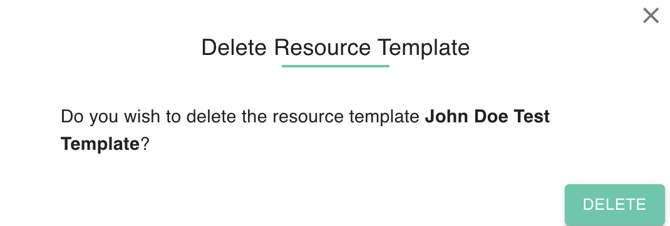
A security confirmation popup will appear. This is a critical safeguard to prevent accidental data loss. Review the template details one last time and click Yes to finalize the deletion.
By regularly auditing and deleting outdated Resource Templates, administrators can maintain a lean, efficient environment. This ensures that when your team needs to add new assets to the domain, they are only choosing from current, company-approved configurations, reducing the risk of data entry errors and keeping your Google Workspace directory organized.