Executing a Gmail Deletion is an administrative action often used for urgent data remediation, such as recalling an accidental leak of sensitive information or neutralizing a domain-wide phishing threat.
Because this process permanently purges data from user mailboxes, gPanel is designed with a rigorous, multi-stage confirmation workflow. This ensures that you can verify the "blast radius" of your deletion before the messages are irrevocably removed from your organization’s system of record.
Step-by-Step: Running a Gmail Deletion Process in gPanel
-
Once you have configured your deletion criteria, navigate to Import/ Export > Gmail Deletion.
-
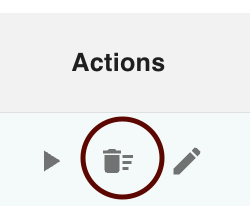
Find the process you wish to execute, hover over the row, and click the three vertical dots (Action Menu). From the menu, select the option to initiate the run.
-
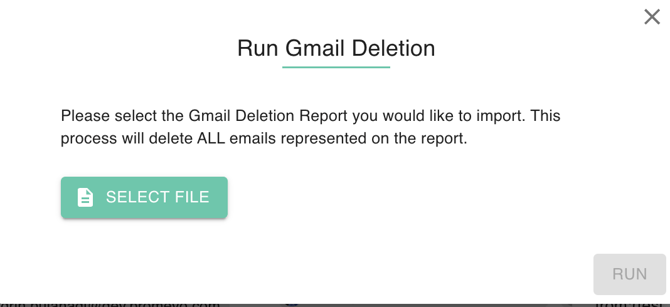
You will be prompted to select the file for the Gmail Deletion Report you wish to import. This report acts as the final "instruction manual" for the operation.
- Warning: This process will delete ALL emails represented on the report. Ensure you have selected the correct file before proceeding.
- Warning: This process will delete ALL emails represented on the report. Ensure you have selected the correct file before proceeding.
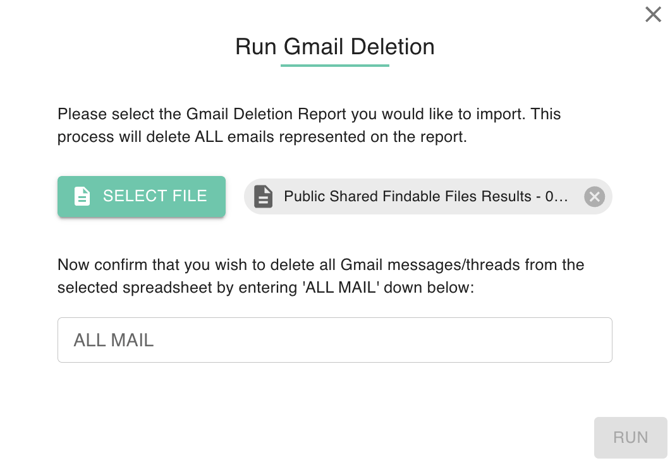
- After selecting your report, gPanel will prompt you for an initial confirmation. This is your first "Point of No Return" warning. Once you click Run, the system will scan the target mailboxes and populate a preview table with four critical headers:
-
Time: The exact moment the matching message was located.
-
User Email: The specific account containing the matching data.
-
Thread ID: The unique identifier for the conversation chain.
-
Message ID: The unique identifier for the individual email.
-
-
Click Run to finalize the purge.
-
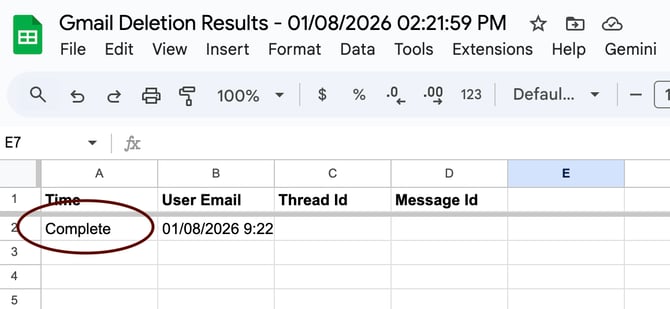
The system will redirect you to a new browser tab displaying the Gmail Deletion Results.

-
Monitor the log in real-time. Once the last line is written, you will see a "Completed" status, along with a timestamp of the operation's conclusion.