View History Logs
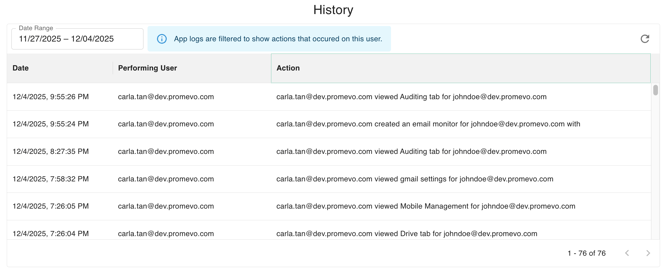
This feature enables you to see and filter a user's action history within gPanel. You can narrow the results by setting a date range to view actions taken during a specific period. The log table displays the Date, the Performer (who took the action), and the specific Action taken.
Filter History Logs
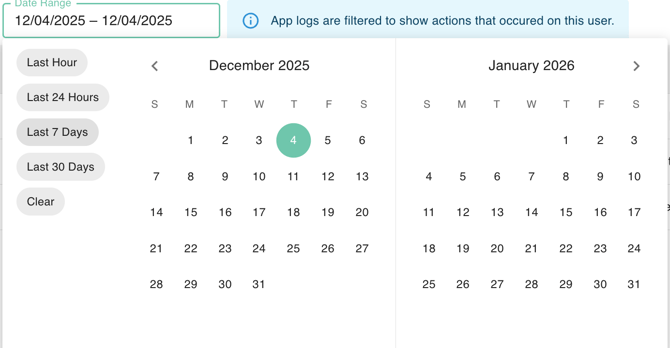
This feature is a Date Range Selector designed to filter an activity log table that specifically tracks actions taken on a selected user within the application (likely gPanel).
Users can quickly narrow the visible log entries by choosing convenient presets like "Last Hour" or "Last 30 Days," or by manually selecting a custom start and end date using the integrated calendar (which currently shows December 2025 and January 2026).
The log is currently filtered for December 4, 2025. Once a new range is selected, the underlying table updates to display only the actions that occurred during that specific time frame, and the filter can be removed using the "Clear" option.