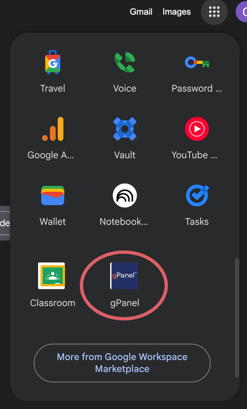
There are two methods to access gPanel once it has been installed on your domain.
Method 1
-
Go to gpanel.promevo.com
-
When prompted, enter your domain credentials
-
Click Sign In.
Method 2
From the Universal Navigation of your Gmail (the grid in the upper right):
-
Sign in to your Gmail
-
In the top right corner, click the icon with 9 dots
-
Scroll down until you find gPanel and select it