
-
Go to the Google Admin console.
-
Click Apps.
-
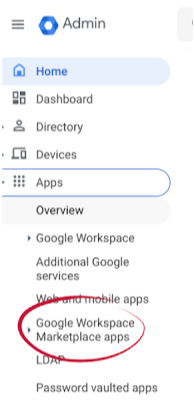
Click Google Workspace Marketplace apps.
-
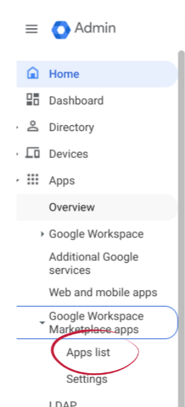
Click Apps list.
-
Click Install App.

-
Search for gPanel in the Google Workspace Marketplace.
-
Review the various data access permissions that gPanel will be granted. Next check the Terms of Service acknowledgment and click Allow.
The installation of gPanel is complete. To launch the app, you can click on the Google Apps launcher in the upper right hand corner of your screen and then click on gPanel, or you can go to gpanel.promevo.com.
Continue to Configure gPanel for instructions on how to correctly configure gPanel for your domain.