
Before executing a permanent purge of data, it is a critical best practice to verify the "blast radius" of your search query. The Gmail Deletion Report in gPanel acts as a non-destructive audit tool. It scans your selected sources (Users, Groups, or OUs) and generates a comprehensive list of every email that matches your filters—without actually deleting them.
Running this report is a vital step in data governance. It allows you to catch "false positives"—legitimate emails that might accidentally match your search terms — ensuring that your final deletion is surgical and accurate. Furthermore, this report serves as the mandatory "instruction file" required to initiate the actual deletion process later.
Step-by-Step: Running the Deletion Report
- Navigate to Import/ Export > Gmail Deletion. Browse your list of saved deletion configurations.
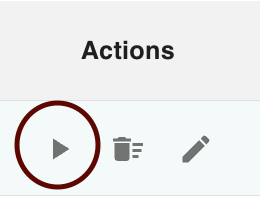
- Hover your cursor over the process you wish to test. From the Action Menu (or by hovering), click Run Report.
- gPanel will automatically open a new browser tab. The tab will be titled "Gmail Deletion Report - [Date] [Time]" and will begin populating a Google Sheet with the results of the scan.

The generated Google Sheet provides the high-fidelity metadata necessary for a forensic review. You will see columns for:
-
User Email: Exactly which account holds the matching message.
-
Message & Thread IDs: Unique identifiers that allow gPanel to target specific data points during the final purge.
-
Subject/Snippet: A preview of the content to verify it matches your target.
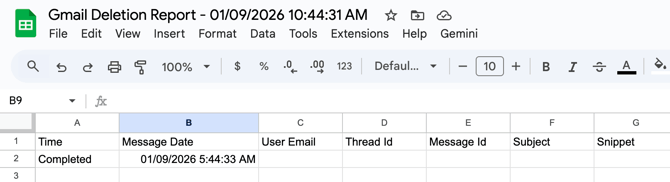
Note: This Google Sheet is your Input File for the next stage. When you are ready to perform the actual deletion, you will be prompted to select a file; you must select this specific generated report to tell gPanel exactly which messages to remove.