Google Workspace administrators are the silent engines of modern organizations. Managing users, hardening security, and supporting teams requires constant vigilance to ensure the environment stays clean and compliant.
"Modern admins now navigate complex automation, shadow IT, and escalating security expectations. Keeping up requires more than just the basics."
- The Path to Agile Administration
However, the scope of the job has expanded. Modern admins now navigate complex automation, shadow IT, and escalating security expectations. Keeping up requires more than just the basics.
This guide breaks down the core responsibilities of a Workspace administrator, the essential tools for the job, and strategies for maintaining control as complexity grows.
What You Own As a Google Workspace Administrator
At the center of every organization’s Workspace environment sits the administrator. Every user policy and configuration choice flows through your desk.
01
User Lifecycle
Creating accounts, assigning licenses, and managing departures accurately.
02
Access Control
Granting or revoking access to Gmail, Drive, and Meet based on specific roles.
03
Policy Enforcement
Configuring security settings, retention rules, and compliance requirements.
04
User Support
Troubleshooting issues and guiding teams on best practices.
05
Device Oversight
Managing mobile endpoints and enforcing hardware policies.
Balancing speed with control is a delicate act. It becomes increasingly difficult as an organization scales.
Understanding Admin Access & Risk
Holding a Workspace admin account means having broad access across the entire domain. This includes sensitive user data and security configurations. This level of authority must be managed with extreme care.
Limiting access and consistently monitoring activity are the most effective ways to reduce organizational risk.
Key controls to implement:
- Role-based access control (RBAC): Assigning admin roles based on specific needs rather than granting "Super Admin" status by default.
- Two-factor authentication: Requiring a second layer of verification for every user.
- Security reporting: Constant monitoring of login activity and usage patterns to spot potential risks.
- Device management: Controlling which hardware can access the environment.
Related Guide
How To Prevent Super Admin Sprawl
Learn why limiting high-level access is critical for domain security.
The Workspace Admin Tools You Rely On
Effective administration is not just about process. It is about the tools that drive it. Tooling determines how fast a team moves, how consistent the environment remains, and the level of daily risk. While native tools provide baseline control, they do not always offer efficiency.
Native Tool: Google Admin console
The Google Admin console is the foundation of the environment. It serves as the primary hub for creating users, assigning licenses, and configuring security policies. For smaller or stable environments, the console’s granular control is often sufficient.
Common tasks like user provisioning, group management, and reviewing audit logs live here. It does exactly what it was designed to do: provide control over individual actions.
100%
Native Control
Baseline configurations for Google Workspace.
However, as an organization grows, the Admin console can become a bottleneck. In these cases, every necessary change requires manual repetition and significant time.
Where Native Tools Can Fall Short
Friction usually appears when an environment scales or workflows become repetitive.
- Manual buildup: Every new hire or role change forces a repeat of the same manual steps. This turns offboarding into a high-stakes checklist.
- Bulk change difficulty: Modifying hundreds of accounts often requires clicking through users one by one or relying on complex, risky scripts.
- Surface-level reporting: While logs are available, gaining a centralized, long-term view of how an environment is evolving is a challenge.
Extend Your Capabilities With gPanel
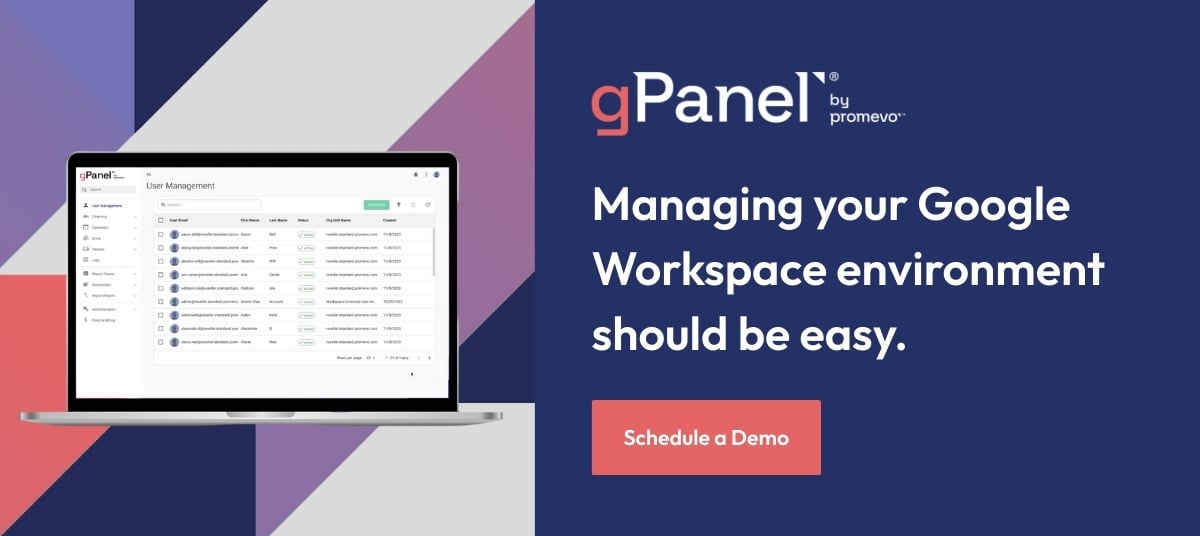
gPanel by Promevo transforms the administrative approach. Instead of handling tasks in isolation, admins can begin managing holistic systems and processes.
Centralized control is established across users, groups, and policies without the need to jump between different sections of the Admin console. Once a workflow is defined, it can be applied consistently across the entire domain.
| Workflow Task |
Standard Admin console |
The gPanel Advantage |
| User Onboarding |
Manual entry and license assignment for every new hire. |
Automated triggers via the Rules Engine based on department. |
| Bulk Permissions |
Updating users one-by-one or using complex scripts. |
Apply domain-wide changes to thousands of users in seconds. |
| Offboarding Security |
Manual checklist to transfer files and revoke access. |
One-click automated offboarding that ensures no data is left behind. |
| Domain Visibility |
Sifting through individual logs to find specific behaviors. |
Centralized reporting and a single-pane view of all user activity. |
- Structured Lifecycle Management: Onboarding and offboarding become logic-driven rather than reactive. Permissions and settings follow predefined rules instead of manual input.
- Bulk Actions: One of the biggest bottlenecks in Workspace is removed by allowing changes across thousands of users in seconds.
- Service-Level Management: Gmail and Drive settings are managed from a single interface. This offers clear visibility into how those policies apply across the organization.
Automate Your Workflow With Rules Engine
Repetitive triggers should lead to automatic outcomes. The gPanel Rules Engine allows admins to define conditions so the environment responds autonomously.
Whether a user joins a new department or moves to a different Organizational Unit (OU), the system can automatically assign the correct licenses and permissions. This ensures that consistency is enforced by the software itself.
Build Around Your Stack With The gPanel API
Workspace rarely exists in a vacuum. User data often originates in HR platforms or identity providers. The gPanel API bridges these gaps, connecting external systems directly to the Workspace environment.
Automation can trigger account creation the moment a new employee is entered into an HR system. Furthermore, data can be pulled into external dashboards to build a clearer picture of the entire IT landscape.
HR Platform
gPanel® API
Google Workspace
New Challenges On The Horizon
The role of the admin has shifted toward managing behaviors that sit outside traditional controls.
Shadow IT
When employees adopt unapproved tools, visibility is lost. Admins must monitor integrations and guide users toward secure alternatives.
Shadow AI
AI tools introduce risks regarding sensitive data leakage. Establishing clear boundaries and visibility into AI usage is now a core security requirement.
Security Expectations
Threats move faster than manual processes. Speed is now a vital part of a security posture.
Why Admin Tools Matter More Than Ever
True efficiency is not about having more features. It is about having control, consistency, and scale. The right tooling provides centralized visibility, automated policy enforcement, and seamless integration with the existing tech stack. gPanel sits on top of Google Workspace to fill the gaps that slow admins down.
Take Control Of Your Workload
The scope of a Workspace admin is vast. You do not need a longer to-do list; you need the right tools working in sync. gPanel helps you automate management, apply changes at scale, and gain deep visibility into your environment.
Ready to simplify your day-to-day? Schedule a gPanel demo today to walk through your environment in real time.






 User Management
 Group Management
 OU Management
 Gmail Management
 Drive Management
 Calendar Management
 Device Management
 Workspace Reporting
 Workspace Automation
 Billing & License Management



 Brandon Carter

 Brandon Carter : Aug 15, 2023, 5:00:00 AM


 John Pettit