 User Management
 Group Management
 OU Management
 Gmail Management
 Drive Management
 Calendar Management
 Device Management
 Workspace Reporting
 Workspace Automation
 Billing & License Management

The 4 Most Useful Reports for Google Workspace Admins
 John Pettit : Jun 26, 2024, 4:00:00 AM
Learn about the top four essential reports for Google Workspace admins to enhance security, productivity, and collaboration in a modern work...



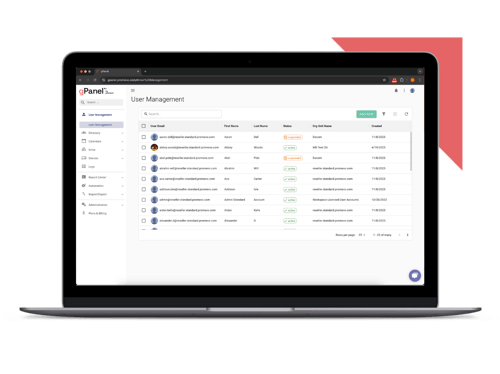
Simplify Google Workspace management with our most essential tools for user and email administration.
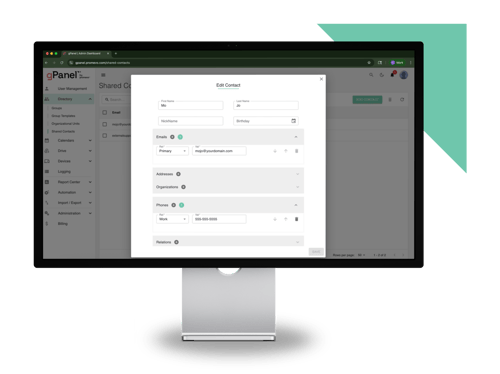
Unlock powerful automation, bulk actions, and reporting features to streamline and scale your admin workflows.
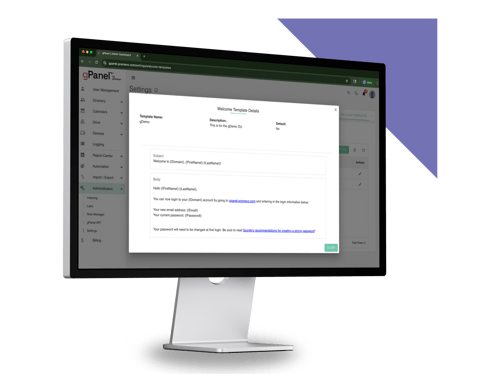
Take full control of your domain with advanced policies, APIs, and security tools built for large or complex environments.

Data visibility is at the heart of effective IT governance and security. Yet, according to IBM’s Cost of a Data Breach Report 2026, it takes companies 247 days to identify and contain a cloud breach on average.
So, if we know visibility is so important, why do so many companies still lack it?

Part of the problem is that Google Workspace generates an overwhelming volume of raw event data. When an employee accesses, shares, deletes, or downloads a document in Google Drive, the system records an immutable audit log.
But for Workspace admins and IT leaders, this raw data often feels more like noise than clarity. When administrators need to correlate activity across Drive, user, OAuth, Admin, and other log sources, investigations can require several searches and data views in the Google Admin console.
When leadership asks critical questions after a suspected security incident… Who had access to this financial folder? When was this OAuth token authorized? Why was 2-Step Verification bypassed?
…digging through native, fragmented logs turns into a slow, reactive chore.
To bridge the gap between having data and actually understanding it, IT teams need to know which log events matter most, how to build a repeatable incident response workflow, and how enterprise management tools like gPanel by Promevo turn raw Google Workspace audit logs into real operational intelligence.
Monitoring every single event across a massive Google Workspace tenant is impractical without automated filters. To protect your organization's digital footprint, IT and security leads should focus on seven critical audit log events that frequently signal security risks, compliance oversights, or operational friction.
 OAuth Token Grants to Third-Party Apps
 Collecting audit log data is only half the battle. When an anomalous event occurs in a Google Workspace domain, IT teams need a structured, repeatable workflow to move from raw data log discovery to complete remediation without causing unnecessary downtime.
Here’s an example checklist your team can use to get started:
Detect event
A security event is flagged, either through automated rule triggers, routine log reviews, or an alert notification.
 Report to stakeholders
 While Google Workspace provides built-in log viewing tools, managing audit data at scale within the native Google Admin Console presents operational challenges. Google Workspace provides centralized Audit and Investigation tools across many log sources, but admins may still need to query and correlate different data sources during complex investigations.
gPanel by Promevo turns raw log data into centralized operational intelligence, allowing IT teams to govern their Google Workspace tenant efficiently.
 Native Google Workspace reporting logs have strict retention limits (often capping standard event history around 6 months). When a delayed legal discovery request or compliance audit asks for data from a year prior, gPanel extends historical log retention so you never lose critical historical records.
 When a potential security incident hits or an auditor asks for domain activity, time is of the essence. Manual log searches across individual Google Workspace menus consume valuable IT hours and leave room for human error.
gPanel centralizes recurring reporting, administrative workflows, and several Google Workspace management tasks in one interface. For teams spending significant time assembling reports or repeating the same investigations, that can reduce manual administrative work.
Schedule a demo of gPanel today to see how automated reporting and extended audit log monitoring can enhance your domain governance.
While the Google Admin Console provides essential native logging tools, enterprise IT teams often reach a point where native features need to be supplemented. By looking at official Google Workspace documentation alongside the gPanel Knowledge Base, we can see how gPanel extends native capabilities to simplify reporting and strengthen domain security.
|
Audit Log Capability |
Google Admin Console (Native) |
gPanel |
|
Log Retention |
Limited default retention windows (~6 months depending on service). |
Extended reporting history beyond native limits, preserving historical audit trails. |
|
Cross-Service Correlation |
Logs reviewed service-by-service across separate Admin Console screens. |
Unified, single-pane activity timeline combining user, file, login, and group events. |
|
Search & Filtering |
Manual, filter-by-filter queries in individual investigation tools. |
Granular, saved search criteria and pre-built audit templates. |
|
Alerting |
Basic reporting alerts configured per event type. |
Rules Engine triggers real- and near-real-time, multi-condition alerts and automated corrective actions. |
|
Compliance Reporting |
Manual export of raw CSV files or Google Sheets. |
70+ customizable, schedulable reports delivered automatically to stakeholder inboxes. |
|
Delegated Access |
Broad administrative roles are often required to view reports. |
Granular, micro-permission delegation allowing "Audit-Only" access without full admin rights. |
|
Report Volume |
Limited to baseline native report types. |
70+ out-of-the-box, customizable reports covering the entire user lifecycle. |
Still have questions about Google Workspace reporting and audit logs? We’ve got the answers.
 Managing a large-scale Google Workspace environment manually is a constant battle against data sprawl. As user counts grow, file sharing expands, and compliance expectations increase, relying on manual log reviews and fragmented Admin Console screens leaves your organization exposed to hidden security risks and operational fatigue.
gPanel gives IT leaders the centralized command center they need to govern Google Workspace with confidence. By combining cross-service log correlation, 70+ custom reports, extended historical retention, and automated rule triggers, gPanel turns raw system data into actionable intelligence.
Schedule a demo of gPanel to automate your audit log monitoring and domain governance.

 John Pettit : Jun 26, 2024, 4:00:00 AM
Learn about the top four essential reports for Google Workspace admins to enhance security, productivity, and collaboration in a modern work...
 John Pettit : Aug 4, 2023, 5:00:00 AM
Google Workspace reporting provides essential insights and analytics about user activities, account management, user engagement, and data safety.
 John Pettit : Aug 28, 2025, 5:00:00 AM
Discover how IT admins shape workplace culture. Learn how gPanel helps optimize trust and efficiency for a more positive employee experience.