

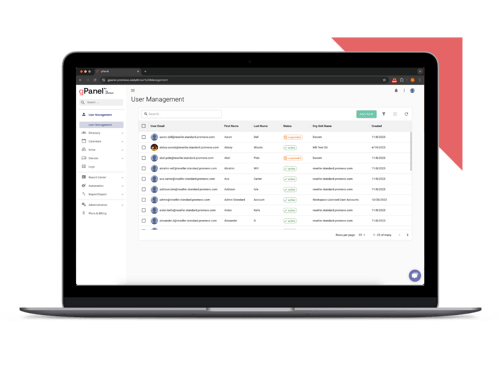
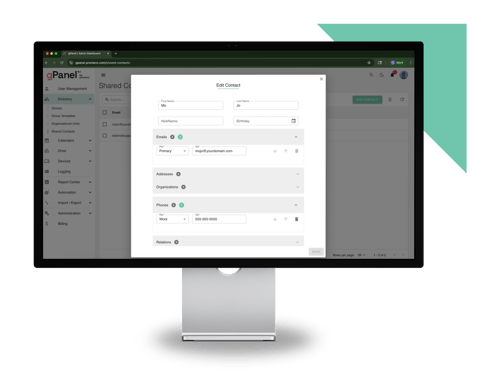
 User Management
 Group Management
 OU Management
 Gmail Management
 Drive Management
 Calendar Management
 Device Management
 Workspace Reporting
 Workspace Automation
 Billing & License Management


You love the idea of automation in theory. Removing some of the most tedious, time-consuming work from your plate sounds like a dream. But when you work at a large organization, you know what sounds good in theory can become catastrophic in practice. Turning on a single automation rule could cause a major, domain-wide ripple effect if there’s even a small error in how it’s configured. The risk of accidental rollbacks, user lockouts, or broken settings just seems too high.
But it doesn’t have to be. With the right software, you can implement Google Workspace automation without the risk. gPanel by Promevo now includes features that allow even the most cautious of IT administrators to start taking advantage of automation without fear of breaking anything.
TL;DR
-
The updated gPanel Rules Engine removes the fear of catastrophic configuration errors by adding built-in conflict detection and read-only "impact simulations" to test rules against historical data before deployment.
-
Unlike broad multi-SaaS tools or low-level productivity automations, gPanel is purpose-built for centralized, domain-wide IT governance across Google Workspace without added platform bloat.
-
Ready-to-use workflows let admins automate critical routine tasks—such as new hire onboarding, empty group cleanup, and privilege escalation alerts—without having to build complex logic from scratch.
-
IT teams can set trigger-based rules to immediately revoke sessions and force two-factor password resets when suspicious behavior (like bulk permission changes or sudden download spikes) is detected.
What is the gPanel Rules Engine?
The gPanel Rules Engine is a powerful, intuitive automation tool that lets enterprise customers set up automations based on a straightforward "if this, then that" format.
For many of the most popular Workspace automations, gPanel provides a dropdown list of common actions and triggers. That already makes setting up automations correctly extremely simple, with little room for error. But our most recent batch of updates to the Rules Engine go even further to reduce the risk of using Google Workspace automations.
What’s New in the gPanel Rules Engine
The most recent update to the gPanel Rules Engine adds several functionalities that make it an even more powerful tool for IT governance automation. These features help you simplify your workflows without introducing any unnecessary security risks:
- Draft Lifecycle States: You’re busy and interruptions happen. When you’re working on setting up a new automation, you don’t want to lose your progress because an IT emergency (or a time-sensitive non-emergency) took you away from the task. Rules now have auto-save active throughout the flow, and will save as a Draft by default, helping you avoid any accidental data loss.
- Conflict Detection: The Rules Engine now includes built-in duplication detection which will alert you any time a new draft you’re working on conflicts with a rule that’s already active. This will help you avoid inadvertently setting up new rules that disrupt how existing ones work.
- Impact Estimation: If your biggest fear is unleashing an automation that has unintended consequences, the new impact estimate feature is your friend. You can run a read-only simulation that checks the conditions of your automation against historical data to get a clear picture of the number of accounts that will be impacted and how before your rule goes live.
- Admin Filters: Granular profile filters provide another good way to avoid a new rule affecting the wrong profiles. You can set up your rules with precision targeting based on employee IDs, manager emails, and searchable custom attributes in order to ensure every rule only impacts the specific accounts it’s meant for.
- Ready-to-Use Templates: Your primary use cases for IT governance automation are probably similar to those other businesses need as well. That being the case, there’s no reason you should have to start from scratch. The Rules Engine now provides several pre-built templates to simplify setting up new rules for use cases like New User Creation, Calendar Events Restrictions, Deletion of Docs in Shared Drives, and when Group Membership is Low. You can customize the templates as needed, but most of the work will be already done for you.
How gPanel Rules Engine Compares to Other Tools
The gPanel Rules Engine isn’t your only option for introducing more automation into how you use Google Workspace in your organization. Here are some of the main ways it differs from other options.
gPanel vs. Google Workspace Studio
Google Workspace already offers automation features within Workspace Studio, so you may wonder why you’d need a separate tool to set up Google Workspace automations. That’s because gPanel and Google Workspace Studio each apply to different use cases.
Workspace Studio handles automation at the individual product level, meaning you can set up automations specifically within Gmail, Google Drive, Google Calendar, etc. Automations are based on triggers within that specific product and can apply to connected products (e.g. having attachments from priority emails automatically download to Drive, or getting automated reminders about calendar events in Chat). But in general, the scope of your automations is limited to actions you can take within each Workspace app.
Using Workspace Studio automations makes the most sense for knowledge workers like business operations, marketing, and customer support staff interested in setting up automated workflows for low-level tasks like summarizing business documents, email prioritization, and support ticket triage.
gPanel, in contrast, zooms out from the day-to-day tasks of other knowledge workers and is designed for IT administrators to use on a more macro level. It provides a single, centralized pane of glass to set up environment-wide automations for your Google Workspace. Admins can use it to implement and enforce IT governance policies, like automated onboarding and offboarding procedures and ensuring admins are alerted any time a change is made to a sensitive setting.
gPanel vs. BetterCloud
Like gPanel, BetterCloud is designed for IT teams to handle common administrative and security and compliance-related tasks. Unlike gPanel, it works as a broad management layer across your larger IT stack. If your organization uses a mix of many different SaaS (Software-as-a-Service) tools — like Slack, Zoom, and Salesforce, along with Google Workspace — BetterCloud can help you introduce automations to workflows across your stack and better manage your “SaaS sprawl.”
gPanel, in comparison, is specifically built for Google Workspace — to make managing Google Workspace easy, while also adding powerful functionality to help you improve security and compliance across your organization. The gPanel Rules Engine therefore offers deeper native integrations with Workspace without any risk of platform bloat or overhead. That makes it simpler to use, while providing the "Google-native" depth needed for safer automation — which is especially important for organizations in sensitive industries like finance and healthcare.
For businesses that treat Google Workspace as the operational heart of your organization, a tool that’s purpose-built for Workspace has more value.
gPanel vs Zenphi
Zenphi is purpose-built for Google Workspace like gPanel is, but works a bit differently. Using it relies on building custom AI agents or setting up manual workflow charts. For users that like building custom logic, Zenphi makes for a useful and intuitive tool. It’s a no-code platform that can help you set up customized automated workflows across different Workspace apps.
The gPanel Rules Engine works via a straightforward "if this, then that" process that can then automatically enforce explicit IT admin policy definitions. Setting up automations in the Rules Engine is generally a simpler process than building full workflows, so can be a good choice for admins that prefer a more straightforward process for establishing Google Workspace automations.
Using the gPanel Rules Engine for IT Governance Automation
IT governance automation isn’t just a good way to reduce the workload of your IT staff, it can also help you improve security and compliance by reducing the risk of human error and ensuring important tasks don’t fall through the cracks. Here are a few examples of Rules Engine use cases that can help with improving IT security policies:
- Real-Time Privilege Escalation Alerts: Some of your Shared Drives and folders have sensitive information that require an extra level of caution (think directories like: "Finance Leadership" or "Super Admins"). Admins can use the Rules Engine to send an alert any time a new user is added to one of these sensitive directories. Depending on your preference, you can set it up to send an email or Chat message with the details of which directory shows a new member and who, so you can act fast if the change looks suspicious.
- Group Hygiene: In a large organization, it’s easy to end up with a lot of unused Google Groups that no one bothered to delete when they fell out of use. You can clean up your internal structure and eliminate security clutter by using the Rules Engine to get rid of these. You can set it to automatically detect when a Group has dropped to zero members, ping the appropriate IT contact via Chat to keep them informed, and then auto-delete the empty group.
- Streamlined New Hire Onboarding: Getting everything set up right for new hires can easily drag down an admin’s day. And the longer it takes, the longer that new hire is stuck waiting to properly start doing their job. You can use the newly integrated, out-of-the-box rule templates now included in the Rules Engine to trigger an email that includes all the welcome information each new hire needs. That can include access to the right Shared Drives, information on how to get started with relevant Workspace apps, and any important security information they need to be aware of.
- Automated Reset Enforcement: If an employee gets hacked or lets their work device fall into the wrong hands, it can put all your company data at risk. But bad actors often provide warning signs through certain types of activity. A change in the permissions of a large number of documents or a massive spike in downloads can point to an issue. You can use the Rules Engine to take action on this kind of suspicious behavior immediately, even if an admin isn’t available to address it manually. By setting up a rule that terminates the user’s session and requires a password reset via two-factor authentication, you can kick the bad actor out of the system before they’re able to do much damage.
Secure IT Automation with gPanel Rules Engine
Complexity can come with vulnerability, so it makes sense to be cautious when introducing new technologies to your IT governance processes. But the right technology can improve your security, while simplifying the workload for the people who work hardest to keep your organization protected.
The gPanel Rules Engine is easy to use and specifically designed for IT teams at organizations using Google Workspace. It can help you stay on top of tedious but important tasks, remove security risks with less work, and maintain your IT policies with minimal effort. To see it in action, set up a demo.