If you manage Google Workspace, you have almost certainly asked an AI tool to write a script for you. Maybe you needed a quick Google Apps Script to update a batch of users, or a GAM command whose syntax slipped your mind. You might have even described the task to ChatGPT, Claude, or Gemini and used the resulting code to execute different administrative actions.
That workflow makes total sense. AI has lowered the barrier to custom scripting, freeing admins from memorizing every Admin SDK method or spending afternoons digging through forums. A solid prompt gets you a working starting point in seconds.
The real challenge starts when a convenient script quietly turns into your operational system.
Google Workspace often starts as a collaboration tool, but in enterprise environments, it quickly becomes mission-critical infrastructure supporting hiring, revenue operations, and global communication. When your environment scales, AI-generated code still has to navigate Google APIs, OAuth scopes, quotas, triggers, error handling, and live organizational data. Someone still has to audit it, maintain it, and carry the burden when something breaks.
For one-off tasks and rapid prototyping, AI-generated scripts are a great addition to your toolkit. For repeatable administrative workflows that impact users, security, and compliance, a dedicated enterprise console like gPanel gives you what raw code never can: standardized governance, safe delegation, and operational intelligence.
TL;DR
-
While LLMs make generating Google Apps Scripts and GAM commands effortless, they don’t manage OAuth scopes, API pagination, or long-term maintenance.
-
Ad-hoc scripts accumulate into an unofficial, undocumented admin system that relies too heavily on individual institutional knowledge.
-
A dedicated enterprise console like gPanel replaces brittle workarounds with role-based access controls, repeatable policies, and audit-ready visibility.
-
Keep AI for rapid prototyping and one-off troubleshooting, while relying on gPanel to govern mission-critical Workspace operations.
Why Workspace Admins Turn to AI for Scripts
The appeal of AI scripting is easy to understand. Instead of starting with dense documentation, you can describe what you need in plain language. Whether you are looping through directories, calling an API, or formatting a report, an AI assistant delivers a functional framework almost immediately.
For seasoned admins, AI acts like a high-speed coding partner, ideal for troubleshooting errors or turning an idea into a quick prototype. For junior admins or teams that don't write code daily, it removes friction and makes custom automation feel approachable without adding a new line item to the IT budget.
There are plenty of legitimate reasons to use AI for scripting. The trouble begins when organizations treat ad-hoc code as a substitute for an enterprise management platform.
AI-Generated Code Still Carries Custom Code Risks
AI changes who writes the script, but not the operational realities of running it.
Under the hood, Google Apps Script still enforces strict authorization scopes, execution limits, triggers, and API quotas. Large language models frequently generate code that looks clean at first glance but relies on deprecated APIs, incomplete error handling, or assumptions that don't match your environment. A script might pass a small test run and silently fail when executed across thousands of enterprise accounts.
Take API pagination as a prime example. Google APIs routinely return large datasets across multiple pages. If an AI-generated script only processes the first page of results, it will report a "successful" execution while leaving most of your directory or Drive files untouched. Silent partial failures are far harder to catch (and far more dangerous) than obvious error messages.
The same risk applies to your prompt logic. If you leave out an edge case or mischaracterize your organizational unit structure, AI will faithfully automate the wrong action. When a script has the power to modify accounts, reassign licenses, transfer Drive ownership, or alter external sharing permissions, small logic flaws turn into major compliance headaches.
AI can draft the code, but IT leadership still owns the accountability.
OAuth Scopes Require Manual Vigilance
Authorization introduces another layer of exposure. Apps Script infers required OAuth scopes based on the services referenced in the code, and generated scripts often request broader access than the task actually requires. When a less-experienced admin assumes a script is safe simply because Gemini or ChatGPT wrote it, high-risk scopes for Gmail or Drive can slip through unchecked.
Prompts Can Create Data Privacy Blind Spots
There is also the human element of troubleshooting. To get better answers from an large language model (LLM), admins are often tempted to paste internal naming conventions, user emails, group structures, or proprietary data directly into prompts. Without strict internal AI governance, routine troubleshooting can inadvertently turn into a data-handling risk.
The Hidden Cost of the "Free" Script
Your first AI script rarely feels expensive. You generate it in an afternoon, solve an immediate ticket, save the file, and move on.
Six months later, a policy changes and someone needs to update it.
Suddenly, your team is digging to figure out who wrote it, what APIs it calls, which OAuth scopes it holds, where it runs, where the logs live, and whether a newer version is sitting on someone’s local drive. Your "$0 solution" has quietly become another undocumented system your IT team has to support.
When governance depends on scattered scripts and institutional memory rather than structured systems, consistency and visibility suffer. If the admin who built the script leaves or moves to another team, someone else has to reverse-engineer the code just to keep daily operations running. Because AI lowers the friction of spinning up new scripts, those quick fixes easily multiply into a sprawling, unofficial management layer — one without centralized audit logs, access controls, or a unified view of environment health.
AI Scripts vs. Smart UIs in Action
The gap between ad-hoc scripting and an enterprise console is clear when you look at everyday Workspace operations:
- User Onboarding and Offboarding: An AI script can create accounts, assign licenses, and update groups, but you still have to engineer the sequencing, error recovery, and triggers. If a script fails halfway through, an account is left in limbo. With admin tools like gPanel, automated policies standardize onboarding and offboarding through a visual interface, eliminating brittle custom code while ensuring every step executes reliably.
- Google Drive Ownership Sweeps: Managing Drive transfers at scale requires navigating nested folder structures, sharing permissions, and multi-page API responses. Instead of maintaining custom pagination logic every time Google updates an API, gPanel provides purpose-built visual tools to audit, manage, and transfer Drive data cleanly across the organization.
- Role Delegation and Least Privilege: Scripts typically rely on elevated credentials or broad OAuth tokens. Handing a script to your Help Desk either exposes too much risk or forces senior admins to remain a bottleneck for routine tickets. gPanel’s granular, role-based access controls let you delegate specific tasks to regional IT or Help Desk teams without expanding super admin sprawl, keeping every action logged and attributable.
What an Enterprise Smart UI Gives You That AI Cannot
AI is a tool for generating and explaining code. An enterprise console, on the other hand, is an operational system built for visibility, control, and confidence.
When you rely on custom scripts, your team has to build its own guardrails for testing, version control, access permissions, logging, and audit readiness. For a hyper-specific edge case that no platform supports, that effort might be justified. For core Google Workspace management, maintaining that overhead yourself slows down your team.
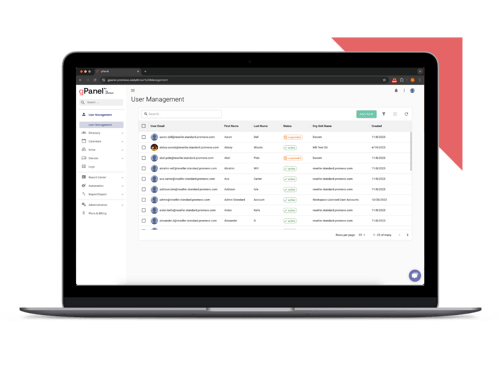
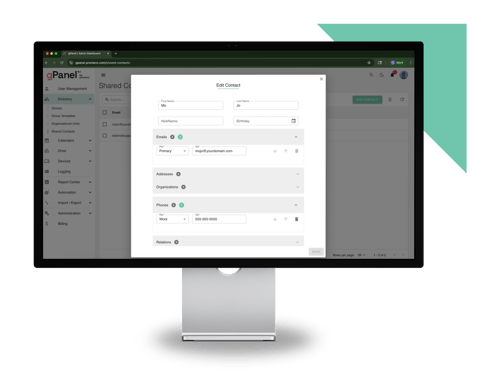
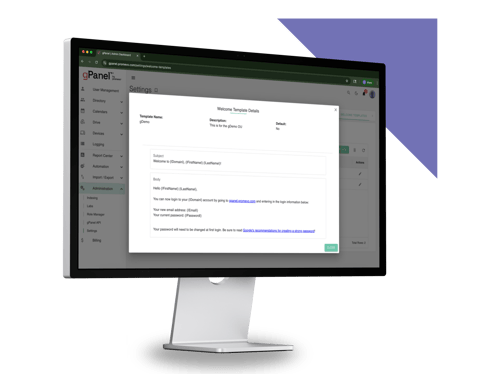
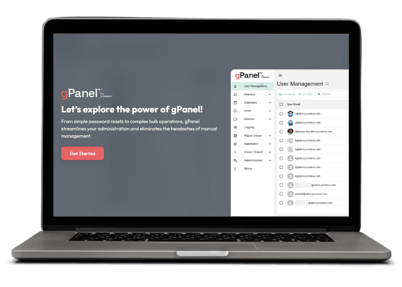
gPanel redesigns the Google Workspace experience for enterprise needs, bringing bulk operations, automated policies, scheduled reporting, alerts, and granular delegation into a single console. Instead of reacting to leadership or security audits by digging through script logs, IT leaders get continuous operational intelligence and clear answers on demand.
Should You Stop Using AI to Write Workspace Scripts?
Not at all. AI scripting is a normal part of the modern IT toolkit. Use ChatGPT, Claude, or Gemini to decode unfamiliar Google documentation, explore whether an automation is feasible, troubleshoot syntax errors, or build a rapid prototype.
The key is drawing a clear line between experimentation and enterprise governance.
If you have a truly unique requirement, use AI to draft the code. Then review it, test it, lock down its scopes, and document it thoroughly. But when you are automating repeatable workflows that touch thousands of users and sensitive company data, ask yourself: Does your team really need another script to maintain, or do you need a console built for the job?
AI Is a Great Assistant. It Is Not Your Governance Model.
Generative AI has made writing code dramatically faster, empowering admins to solve problems and prototype ideas in minutes. Yet as Google Workspace becomes more central to how your business runs, ad-hoc scripts simply cannot provide the discipline, least-privilege access, and auditability enterprise environments demand.
The people responsible for keeping Google Workspace running shouldn't have to carry that operational burden alone. With gPanel, you can standardize policies, delegate safely, and scale your Workspace environment with clarity and confidence— without turning every recurring task into a custom code project.



 User Management
 Group Management
 OU Management
 Gmail Management
 Drive Management
 Calendar Management
 Device Management
 Workspace Reporting
 Workspace Automation
 Billing & License Management


 Christine Page

 John Pettit : Dec 20, 2022, 5:00:00 AM

 Brandon Carter