Managing a Google Workspace environment has evolved from a simple help-desk role into a complex orchestration of security, compliance, and user experience. Today, many of these critical workflows still depend on manual effort.
But manual burden doesn’t scale: as your organization grows, the administrative workload grows with it, draining your team’s time and introducing the risk of human error.

That’s where automation changes everything.
According to the Service Desk Institute (SDI), IT departments that invest in automation see a 30% reduction in ticket volume. Likewise, our recent work with organizations like SiLo demonstrates the real-world impact of these efficiencies.
As a logistics leader, SiLo faced the daunting task of manually managing over 650 Google Groups and onboarding internal and external partners. By transitioning to automated group management, they streamlined Google Group creation and configuration, ensuring that each new user is set up for success from day one and alleviating administrative burden.
By centralizing control and automating the admin work you dread, your team can move away from reactive troubleshooting and toward proactive infrastructure optimization. This is where administrative tools like gPanel become essential.
gPanel is a Google Workspace management platform that acts as a "super-admin" layer, going above and beyond the granular control and automation capabilities in the native Google Admin Console. It connects your entire Google ecosystem, from Google Drive and Gmail to Google Chat and Google Calendar… all under a single, unified interface.
Effective Google Workspace automation isn't just about doing less work; it’s about repeatable, intelligent workflows that deliver speed across the user lifecycle and consistency in policy enforcement.
Without automation, your environment depends on memory and effort.
With it, your environment runs on structure.
How Routine Tasks Are Stealing 100s of Hours From Your Google Workspace Admins
Routine admin work rarely feels like an emergency. It doesn’t usually arrive with the same urgency as a security breach or a major migration project.
Instead, it acts as a "silent tax" on your team’s time. This series of small, manual steps across Google Workspace apps drains productivity and prevents your senior IT staff from focusing on high-value strategic initiatives.
Every day, your admins are caught in a cycle of repetitive tasks that include:
- Manual User Provisioning: Configuring new accounts, setting initial passwords, and assigning accurate organizational units (OUs) based on HR data.
- Permissions Management: Manually adding users to specific Google Groups and ensuring they have the correct Shared Drive access for their role.
- Offboarding Checklists: Transferring Google Drive file ownership, resetting passwords, forcing sign-outs across all devices, and revoking OAuth tokens for departing employees.
- Compliance & Reporting: Sifting through native audit logs to compile monthly activity reports or security audits for stakeholders.
- License Maintenance: Identifying inactive or dormant accounts to reclaim licenses and reduce wasted spend.
While each individual task may only take 5 to 10 minutes, they quickly stack into several hours of work every week. For example, a standard manual decommissioning workflow in the native Google Admin Console involves multiple steps across different interfaces (e.g. Drive, Vault, and Admin) which can take an hour or more per user to complete accurately.

This manual burden represents a fundamental scalability problem. As your organization grows, the administrative workload grows with it, but your IT team’s capacity remains fixed. This forces teams to choose between falling behind on routine maintenance or sacrificing time that could be spent on innovation.
Automation breaks this pattern. By moving from a manual execution model to a policy-driven model, you handle the setup once, and the system handles the execution every time after that.
The result: you save time, reduce error, and free your team to focus on work that actually matters.
Which Admin Tasks Should I Automate? 5-Minute Health Check for Google Workspace
Not every task is worth the time it takes to automate. To maximize ROI, focus on high-frequency, high-risk, and high-volume admin workflows.
|
Task Category
|
The Manual Risk
|
gPanel Efficiency Gains
|
|
User Onboarding/ Provisioning
|
Manual entry of user details into multiple OUs and groups is time-consuming and prone to human error.
|
Custom admin policies create accounts, configure permissions, and assign Google Workspace licenses instantly based on predefined roles.
|
|
Security Remediation
|
Native audit logs require reactive, manual review after a data breach has already occurred.
|
The Rules Engine allows admins to build "If-Then" actions to revoke access automatically if suspicious bulk-deletion is detected.
|
|
Offboarding/ Decommissioning
|
Standard decommissioning often leaves "Orphaned Files" and active OAuth tokens that pose security risks.
|
Automated offboarding executes a complete sequence (e.g. password resets, data transfers, and license reclamation) in one click.
|
|
Contact & Signature Sync
|
Syncing global contacts and enforcing uniform email signatures requires complex Apps Script or individual user updates.
|
Global Contact Sync and signature templates are enforced domain-wide without requiring any end-user action or custom code.
|
|
Compliance Auditing
|
Generating SOC 2 or HIPAA compliance reports manually takes hours of data gathering across different tabs.
|
Scheduled reporting delivers over 70 customizable reports directly to stakeholders on an automated, recurring basis.
|
What Google Workspace Can Automate Natively (& Everything it Can’t)
While the Google Admin Console provides a foundation for management, many admins find that "native automation" often requires manual triggers or complex workarounds. To truly understand the value of a third-party tool, you must understand where the native platform ends and where gPanel begins.
In the standard Admin Console, "automation" is often synonymous with "bulk uploads." While you can upload a CSV to update 500 users at once, this is still a manual task that requires an admin to pull data, format it, and monitor the upload.
True automation should be "trigger-based," meaning the system reacts to a change (like a new hire) without an admin ever touching a spreadsheet.
|
Feature
|
Google Workspace
|
gPanel
|
|
Gmail filters, labels, and auto-replies
|
✅
|
✅
|
|
Google Calendar scheduling rules and event notifications
|
✅
|
✅
|
|
Google Workspace Studio for multi-step task automation via AI agents
|
Limited tiers
|
🚫
|
|
Google Chat notifications and Space-based triggers
|
✅
|
✅
|
|
Automate user provisioning or account creation at scale
|
🚫
|
✅
|
|
Enforce bulk policy changes across users, groups, or OUs
|
🚫
|
✅
|
|
Schedule or trigger offboarding workflows automatically
|
🚫
|
✅
|
|
Sync contacts across the domain without manual intervention
|
🚫
|
✅
|
|
Manage Drive permissions in bulk across the organization
|
🚫
|
✅
|
|
Generate and distribute compliance or audit reports automatically
|
🚫
|
✅
|
|
Create and execute complex, multi-condition admin workflows without code
|
🚫
|
✅
|
|
Integrate with HRIS, CRM, and ERP systems for automated user lifecycle management
|
🚫
|
✅ (Enterprise tier only)
|
It's worth noting that tools like Google Workspace Studio and Apps Script do offer automation capabilities for developers, but they come with a steep learning curve. Apps Script requires you to write and maintain code, while Workspace Studio's multi-step task automation via AI agents is limited to certain tiers and primarily targets individual productivity use cases.
Neither is designed for domain-wide administrative automation at scale. And for a large enterprise managing hundreds or thousands of users, you need something purpose-built. That's where gPanel fills the gap: no code, no scripts, no developer dependency required.
14 Ways gPanel Automates the Full Google Workspace User Lifecycle
To provide a superior experience for both admins and employees, gPanel streamlines every stage of the user journey:
-
 New hire account setup and license assignment
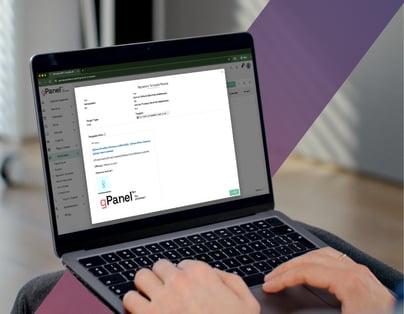
You create accounts and assign roles instantly based on predefined rules. By leveraging customizable policies and templates, gPanel ensures every new employee is equipped with the correct Google Workspace license and role-based permissions from their first login.
-
Automated user provisioning and onboarding
You place users into the right groups and OUs automatically. Instead of manually mapping users to organizational units, gPanel handles the logic, ensuring users have immediate access to the necessary Shared Drives and departmental resources. This is the first step to a smoother, faster onboarding process.
-
Scheduled suspensions, deletions, and OU moves
You control user status changes without manual intervention. Whether it’s moving a seasonal worker to a restricted OU or scheduling a deletion for a contractor, gPanel executes these transitions on your timeline.
-
Bulk policy enforcement across users and groups
Managing security at scale requires the ability to apply changes domain-wide. gPanel allows admins to enforce password policies, enable 2FA, or update service settings across thousands of users with a single action, eliminating the need for tedious manual updates. In other words, it's the “apply everywhere” button the native Admin Console never gave you.
-
Automated offboarding and access revocation
Security is paramount during employee exits. gPanel’s automated decommissioning tool triggers a comprehensive workflow, ensuring no data leaks occur and no orphaned files linger. This includes protocols such as revoking API tokens, transferring Drive files, and wiping mobile devices.
-
Contact sync across the domain
Ensure your global address list is always accurate. gPanel automates the synchronization of shared contacts across the Google ecosystem, making sure every employee has access to the most up-to-date directory information without manual entry.
-
Drive permission and sharing automation
Maintain control over your data footprint. gPanel can automatically adjust Drive permissions based on predefined security policies, reducing the chances of sensitive files being shared externally by accident. This is one of the most high-risk areas where a human in the loop simply isn't fast enough.
-
Scheduled compliance reports and audit logs
Stay audit-ready without the stress. gPanel allows you to schedule automated reports on everything from login activity to file sharing, delivering critical insights directly to your inbox on a weekly or monthly basis.
-
Rules Engine triggers for complex, multi-step workflows
The gPanel Rules Engine lets admins program "if this, then that" style automations. You simply select a trigger, like a user joining a specific department, and gPanel executes a series of actions across the entire Workspace environment. Think of it as having an always-on AI assistant handling your admin logic.
-
Automatic group and OU placement based on roll
Eliminate "privilege creep" by automating group memberships. As users change roles or departments, gPanel automatically adjusts their group access and OU placement to reflect their current needs.
-
Email signature enforcement at scale
IT can push HTML-rich, branded signatures across the entire domain. gPanel pulls user data (like name and phone number) directly from the directory, ensuring every employee's email body includes a professional, uniform signature.
-
Scheduled access reviews for sensitive data
Regularly auditing who has access to sensitive information is necessary for compliance. gPanel streamlines these reviews, helping identify over-privileged users and ensuring your security posture remains airtight. Once the review is run completed, the audit trail is automatic.
-
Mitigating security threats with automated remediation
Stay ahead of threats with real-time administrative action. Using the gPanel Rules Engine, you can configure action items and alerts for suspicious activity. For example, if a user downloads a high number of files in a short time, you can automatically sign out the user, enforce a password reset, and post a notification to the IT team via Google Chat or email (all without a human expert having to intervene manually).
-
Bulk calendar and Drive permission updates during reorgs
Corporate restructures are an IT headache. gPanel simplifies the process by allowing for bulk updates to calendar subscriptions and Drive permissions, ensuring teams stay connected during transitions.
Let gPanel Handle the Admin Work You Dread
The daily grind of manual administration is not just boring; it’s a liability. Every manual click is an opportunity for a mistake that could compromise your security or frustrate an employee.
gPanel was built by admins, for admins, to eliminate the work you dread most. By automating the routine, you gain the freedom to focus on the high-impact projects that actually move your business forward.
Stop fighting the Admin Console. Start automating with gPanel.
Book a demo with our team today.
How Does the gPanel Rules Engine Replace Manual Apps Scripting?
Many admins struggle with "configuration drift," where settings change over time and leave the domain less secure. If you've ever tried to solve this with Google Apps Script or third-party apps, you know the pain: code that breaks, logic that's hard to share, and workflows that require a developer every time something changes.
The gPanel Rules Engine is the no-code alternative. It lets admins build "if this, then that" style automations using a visual interface, with no scripting knowledge required. You simply select the action that will trigger an automation, then define what should happen in response.
Need to connect a new hire's account to three Google Groups and assign a Drive template the moment HR adds them to a specific OU? That's a test run you can set up in minutes.
This Enterprise tier-exclusive tool lets you choose from a dropdown list of common Google Workspace actions you can define as a trigger (such as a user being added to an Organizational Unit) along with a list of the actions you can tell the Rules Engine to perform in response. The logic is clean, auditable, and requires no developer to maintain. Unlike Apps Script, where a single syntax error can break a workflow silently, gPanel's Rules Engine surfaces issues clearly and keeps your automation running reliably.
This logic-driven automation eliminates the need for manual intervention for routine organizational changes. And it scales as your organization scales.
Case Study: How Did SiLo Automate the Management of 650+ Google Groups?
SiLo, a leader in logistics and freight brokerage, faced a massive administrative hurdle as they scaled. With a complex organizational structure and a highly mobile workforce, manual management was no longer sustainable.
gPanel’s Solution
SiLo needed a way to manage over 650 Google Groups without dedicating a full-time employee to the task. They required a solution that could handle rapid onboarding and offboarding while maintaining strict security standards.
gPanel provided the centralized interface and automation engine necessary to manage these groups dynamically based on user attributes rather than manual checklists.
Execution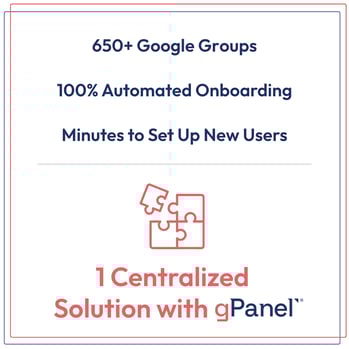
The implementation focused on utilizing the gPanel Rules Engine to create "set it and forget it" workflows. When a new team member joined or changed roles, gPanel automatically updated their group memberships and permissions across the full Google ecosystem... no spreadsheets, no manual steps, no missed access.
The entire process, which had previously required multiple admins working across Google Drive, Vault, and the Admin Console, was reduced to a single automated sequence.
For offboarding, SiLo utilized gPanel’s decommissioning tool to ensure that departing users were immediately and completely removed from all sensitive internal groups and that their data was successfully migrated to the appropriate managers.
End Results
By leveraging gPanel's automation capabilities, SiLo achieved:
- Total Visibility: A single pane of glass to manage 650+ groups and thousands of users.
- Enhanced Security: Eliminated "shadow access" by ensuring permissions were always synced with the user's current status.
- Operational Efficiency: The IT team was able to support a growing organization without increasing administrative headcount, effectively reclaiming hours of manual labor every week.
The 8 Workspace Automation Questions Every Admin Is Googling
You know you need automation, but navigating the complex landscape of native features, third-party tools, and implementation ROI can be daunting. To help you master your environment, we’ve compiled the definitive answers to the eight most critical questions Google Workspace admins are searching for right now.

-
Do I need to know how to code to automate Google Workspace with gPanel?
No. Unlike Google Apps Manager, Google Apps Script and similar developer tools, gPanel is a no-code platform. You use an intuitive visual interface to build rules and templates.
-
How does gPanel automation differ from what's built into the Admin Console?
Native automation is often limited to bulk CSV uploads or basic settings. gPanel provides "trigger-based" automation, meaning the system reacts automatically to events (like a user changing OUs) without any manual admin effort or a new message arriving from your HRIS.
-
Can gPanel connect with our HR system or other third party apps?
Yes. gPanel can sync with various HRIS platforms to ensure that when a user is added to your HR system, they are automatically provisioned in Google Workspace with the correct templates applied. This is one of the most impactful workflows for organizations managing high-volume hiring.
-
How do I know which Workspace admin tasks are worth automating?
Focus on tasks that are high-volume (happen daily), high-risk (like offboarding), or high-effort and currently require a human expert to execute manually (like signature management). If a task is repeatable and follows a clear set of logic, it’s a candidate for automation.
-
Is the gPanel Rules Engine available on all tiers?
The Rules Engine is exclusive to gPanel’s Enterprise tier. Please check our pricing page or contact a Promevo representative for more information.
-
How does automation affect compliance and audit trails in Google Workspace?
Automation actually improves compliance. Because gPanel logs every action (automated or otherwise) so you have a perfect, immutable audit trail of every change on your domain.
-
Can automation be scoped to specific OUs or groups rather than the whole domain?
Yes. gPanel allows you to target specific Organizational Units (OUs) or Groups, giving you granular control over who the automation applies to. This is critical for large enterprise environments with complex org structures.
-
Can I schedule automations to run during off-hours?
Yes. gPanel allows you to schedule bulk actions and reports to run at specific times, ensuring heavy operations don't impact your team during peak business hours. Once the workflow is configured, it runs in the background… no babysitting required.
Less Manual Work, More Impact: Automate Google Workspace With gPanel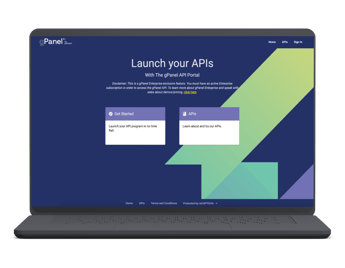
Google Workspace automation lets organizations scale without adding complexity. It provides consistency across every user, every workflow, and every policy.
gPanel helps you turn Google Workspace into a system that runs itself. And unlike third-party apps that bolt automation onto the side of Google Workspace, gPanel was built from the ground up to master it.
If you’re ready to stop managing tasks and start managing outcomes, it’s time to see gPanel in action. Schedule a demo and start automating Google Workspace administration for your organization.







 User Management
 Group Management
 OU Management
 Gmail Management
 Drive Management
 Calendar Management
 Device Management
 Workspace Reporting
 Workspace Automation
 Billing & License Management



 John Pettit

 John Pettit : Jul 3, 2025, 5:00:00 AM