When an organization grows, its Gmail usage starts to evolve. What begins as a few individual team members answering customer emails can quickly morph into a complex web of forwarding addresses, aliases, and delegated accounts.
Consider these scenarios:
- Sales answering inbound leads…
- Finance handling invoices…
- Support closing tickets…
… every one of these teams needs a clean way to manage incoming email together, not just an inbox one person happens to check.
 The immediate question IT directors and Google Workspace admins ask is simple: Does Google Workspace have a shared mailbox?
The short answer is yes. The longer, more practical answer is that Google Workspace offers multiple ways to manage a shared email address, but they work in fundamentally different ways.
Depending on your collaboration needs, you can deploy a Google Groups Collaborative Inbox, native Gmail delegation, or utilize Workspace management tools (like gPanel) to control and automate delegation at scale. Each option handles sending permissions, message tracking, access controls, and delegate management differently.
Choosing the wrong approach can have downstream consequences:
- Small teams end up stepping on each other's toes.
- Duplicate replies get sent to key clients.
- Security teams are left flying blind regarding who actually sent what.
So what’s the right approach for you?
3 Ways to Run a Shared Inbox in Google Workspace (Compare Your Implementation Options)
There are three primary ways to set up a shared inbox in Google Workspace. While all three allow multiple employees to access incoming messages sent to a common address (such as info@company.com or billing@company.com), they differ sharply in how collaboration happens on the front end and how administrators maintain control on the back end.
| |
Collaborative Inbox (Google Groups)
|
Native Gmail Delegation
|
gPanel
|
|
Who sets it up
|
Group owner or manager via Google Groups
|
Account owner, or an admin on behalf of a user, via Gmail settings / Admin Console
|
Admin, centrally via the gPanel platform
|
|
Underlying mechanism
|
A Google Group with Collaborative Inbox features enabled
|
Direct delegation between individual Gmail user accounts
|
Delegation controls applied across domains and OUs; includes expiry options
|
|
Send from the shared address
|
No, replies come from each member's personal Gmail address
|
Yes
|
Yes (manages delegated account sending)
|
|
See who actually replied
|
No; there is no unified Sent folder, so teammates cannot easily see each other's replies
|
Yes, the "sent by" field identifies the delegate
|
Yes, with full admin audit visibility over delegate activity
|
|
Message assignment
|
Yes (Open, Assigned, Completed)
|
No
|
No (Focuses on administrative security & delegation oversight)
|
|
Status tracking
|
Yes
|
No
|
No
|
|
Mobile access
|
Limited; available through the Gmail app or Google Groups
|
Yes, through the Gmail app account switcher
|
Yes, through the standard Gmail mobile app via delegated accounts
|
|
Cost
|
Free; the group itself does not require a separate license
|
Included with Google Workspace; primary account requires a paid Workspace seat
|
Starts at $15 per user/year
|
|
Best for
|
Teams of 5+ that need basic task assignment and status tracking on group emails
|
Small teams, executive assistants, or 1-to-5 users sharing a single address
|
Medium-to-large enterprises needing bulk delegation, automated offboarding, and security audits
|
|
Where it falls short
|
Cannot send directly from the shared address; lacks analytics
|
No task assignment; manual admin setup across separate user screens
|
Delegation requires the user to have admin access or correct permissions to configure
|
Selecting the right kind of shared inbox for your organization starts with understanding how your team actually works day-to-day, rather than focusing solely on how many people need access.
Inside a Real Shared Inbox: What Your Team Actually Sees Day to Day
To build a seamless workflow, you have to consider the end-user experience. If a tool is cumbersome or requires team members to jump through technical hoops, adoption can fail and employees may resort to insecure workarounds… like forwarding emails to personal accounts or sharing account passwords.
 In a native Gmail Delegation setup (whether they’re managed manually or via gPanel), the day-to-day experience is integrated directly into standard Gmail.
An employee clicks their profile picture in the top right corner of Gmail, selects the shared mailbox from the account drop-down list, and a new browser tab opens with the shared inbox. From there, they can read messages, organize emails using shared labels, and draft responses.
When a delegate hits "Send," the email goes out from the shared address (e.g., sales@company.com). In the recipient's inbox, the email appears as coming directly from the shared address. Internally, delegates can see who sent the reply via the "sent by" field, providing clear accountability across the team.
In a Google Groups Collaborative Inbox, the experience centers around thread management. Members log into the Google Groups interface or view incoming topics directly in Gmail. Rather than managing a traditional inbox view, they manage tasks. A team member can click on an incoming thread, assign it to themselves or a colleague, tag it with a status label (such as "Open" or "Resolved"), and post internal replies.
However, because replies sent from a Collaborative Inbox stem from the user's individual email address rather than a dedicated shared mailbox account, it functions more like an internal ticketing queue than a traditional single-identity inbox.
How Delegation Actually Works (& Why It's the Foundation of Everything Else)
At its core, delegation is the architectural backbone of Google Workspace shared mailboxes.
In legacy email environments, sharing a mailbox often required sharing underlying account passwords: a practice that breaks zero-trust security principles, compromises two-step verification, and creates huge compliance risks when an employee leaves the company.
Google Workspace delegation solves this by granting explicit user-level permissions to access an account without exposing credentials. When an administrator or account owner delegates access:
- Security credentials stay safe: Delegates log in using their own Google Workspace accounts and multi-factor authentication. They never see, manage, or enter the primary account's password.
- Instant access control: Adding or revoking access happens instantly. When a support representative transitions to a new department or departs the enterprise, removing them from the delegate list immediately cuts off their access to the shared mailbox without forcing you to reset account passwords.
- Separation of management and access: Delegation breaks the link between account ownership and account operation. The mailbox exists as an independent entity, while daily operations are handled by authorized delegates.
Understanding delegation is critical because whether you set up a mailbox manually in Gmail settings or manage it at scale using gPanel, delegated access controls who can read, draft, send, and delete messages on behalf of the shared identity.
9 Key Decisions to Make Before You Configure Anything
Before opening the Google Admin Console or configuring group rules, sit down with your department leads and establish clear operational guidelines. Technology provides the channel, but clear policy prevents administrative clutter.
- Business purpose: Define exactly what communications belong in this mailbox. Is it an external customer support desk, an internal IT help ticket queue, or an executive assistant buffer for a senior leader?
- Naming convention: Establish consistent, recognizable naming schemas across your enterprise (e.g., region-department@company.com or function@company.com).
- Accountable owner: Assign a primary manager to every shared address. This person is responsible for reviewing access lists, maintaining label structures, and auditing activity.
- Members and access levels: Determine who needs daily sending permissions versus who only needs passive viewing access.
- Response-time expectations: Set clear Service Level Agreements (SLAs) for incoming messages so emails don't sit unaddressed.
- Assignment rules: Establish an explicit protocol for determining message ownership if multiple team members are monitoring the same address.
- Escalation path: Define how and when complex or sensitive emails are escalated to managers or specialized technical teams.
- Retention needs: Align mailbox retention rules with corporate legal holds, regulatory compliance frameworks, and statutory records policies.
- Security and auditing strategy: Establish a routine schedule for auditing delegate lists and cleaning up access permissions as team responsibilities shift.
9 Benefits That Separate a Real Shared Mailbox From a Glorified Group Chat
Not all shared email configurations are created equal. Setting up a simple email distribution list (an email alias or standard Google Group) forwards incoming emails out to multiple individual inboxes. This can create fragmented communication threads, duplicate customer replies, and zero central visibility.
A true, delegated shared mailbox infrastructure supports seamless email communication.
|
Feature
|
Collaborative Inbox
|
Gmail Delegation
|
gPanel
|
|
Send replies from the shared address
|
❌
|
✅
|
✅
|
|
Unified Sent folder (everyone sees every reply)
|
❌
|
✅
|
✅
|
|
Conversation assignment to a specific person
|
✅
|
❌
|
❌
|
|
Status tracking (open, assigned, resolved)
|
✅
|
❌
|
❌
|
|
Shows who actually replied ("sent by")
|
❌
|
✅
|
✅
|
|
Accessible from the normal Gmail inbox
|
❌
|
✅
|
✅
|
By moving to a true shared mailbox model, teams maintain real-time visibility into sent messages, stopping multiple reps from answering the same client email.
When an employee leaves, any email exchanges sent from the shared mailbox also stay safely stored inside the shared account's sent folder rather than disappearing with their personal account.
Finally, passwords aren’t shared across staff, keeping authentication logs clean and multi-factor authentication enforced.
Tired of Chasing Down Who Replied? See gPanel in Action
As your organization scales, managing shared mailboxes natively inside the Google Admin Console can quickly become manual and time consuming.
IT directors managing large Workspace environments face constant administrative requests: adding new hires to dozens of shared mailboxes, revoking delegate access during offboarding, and trying to track who has access to sensitive inbox data across the company.
This is where gPanel by Promevo transforms your IT operations.
gPanel acts as an enterprise management console that extends Google Workspace's administrative capabilities. Rather than forcing your IT team to manually navigate individual user settings or run fragile scripts to manage delegation, gPanel gives you a centralized command center to automate, audit, and secure your entire Google ecosystem.
With gPanel, managing shared inboxes becomes easy. Admins use it to:
- Assign or revoke delegated mailbox access across hundreds of user accounts simultaneously in a few clicks.
- Embed shared mailbox revocation directly into your custom, step-by-step user offboarding scripts. When an employee departs, gPanel automatically strips their delegate permissions across all shared mailboxes instantly, ensuring zero security leaks.
- Run detailed, schedulable reports to immediately see every user who holds delegated access to any shared address across your domain.
Instead of spending hours manually configuring user delegation or chasing down who sent a client reply, gPanel provides the automation, structure, and clarity smart IT leaders need to scale their operations with confidence.
How to Set Up Your Chosen Shared-Inbox Model
Once you've chosen the model that fits your operational needs, follow these step-by-step setup guides.
Model 1: Building Your Collaborative Inbox From Google Groups
Best for: Teams of 5+ that require clear conversation assignment, status tracking, and topic tagging without purchasing extra Workspace licenses.
- Create a New Group in Google Groups or the Admin Console: Log into the Google Admin Console, navigate to Directory → Groups, and click Create Group.
- Name the Group and Set the Shared Email Address: Enter a clear display name (e.g., Customer Support Queue) and assign your target group email address (e.g., support@company.com).
- Select "Collaborative Inbox" as the Group Type: Access the group's settings in Google Groups (groups.google.com) and toggle the group type to Collaborative Inbox.
- Turn On Conversation History: Ensure conversation history is enabled so new members can view historical threads and context.
- Define Who Can Join, Post, and View Topics: Set access controls matching your company's security policies. Set "Who can post" to Anyone on the web if the address receives external client emails.
- Assign Owner, Manager, and Member Roles: Designate group managers responsible for overseeing task assignments and member permissions.
- Enable External Posting for Customer-Facing Addresses: Under basic permissions, confirm external users can post to the group address if it serves as a public contact point.
- Establish Conversation Ownership Guidelines: Document internal protocols for assigning topics, setting statuses (Open, Pending, Resolved), and closing completed threads.
Model 2: Utilizing Native Gmail Delegation
Best for: Small support teams, executive assistant coverage, or 1 to 5 users sharing a primary account.
- Open Gmail Settings and Find "Accounts and Import": Sign into the primary Gmail account that will be shared. Click the gear icon in the top right, select See all settings, and navigate to the Accounts and Import tab.
- Add a Delegate Under "Grant Access to Your Account": Locate the "Grant access to your account" section and click Add another account.
- Send the Invitation and Wait for Acceptance: Enter the email address of the employee who needs access. Google will send a confirmation invitation to that user. The delegate must click the acceptance link to activate the connection.
- Confirm the Delegate Appears in the Account Switcher: Once accepted, the delegate can refresh their Gmail session, click their profile icon, and select the delegated mailbox from their account switcher list.
- Set Sending Preferences for "On Behalf Of" vs. Direct Send: Back in the main account's settings, choose whether replies sent by delegates show both the shared address and the delegate's personal address ("sent by") or mask the delegate's personal address entirely.
- Review Delegates Regularly: Periodically review the active delegate list and remove access for users who no longer require it.
Model 3: Managing Delegation at Scale With gPanel
Best for: Enterprise IT teams looking for centralized, bulk-provisioned delegation management directly across multiple accounts and OUs.
- Access the gPanel Dashboard: Sign into gPanel using your administrator credentials.
- Navigate to Gmail Delegation Settings: Select the user account or Organizational Unit (OU) you wish to manage from the main directory menu.
- Assign Delegates in Bulk: Select multiple users or groups and assign them delegate access to the target shared mailbox in a single administrative workflow. You can also add an expiration date if you know when the delegation period should end.
- Embed Delegation into Decommissioning: Configure your custom offboarding workflows so delegated permissions are automatically revoked whenever an employee departs.
- Schedule Automated Access Audit Reports: Set up recurring audit logs to continuously monitor delegate permissions across your entire domain.
Our team recently demonstrated how to delegate a Gmail account through gPanel during a live event in Atlanta, GA. Check out this brief clip to see the simple workflow in action.
Where gPanel Supports Shared-Inbox Administration at Scale
While Google Workspace provides the core building blocks for shared mailboxes, administering them across an expanding company can create operational strain. Managing delegate permissions account-by-account inside standard admin settings often becomes unmanageable as seat counts rise.
gPanel simplifies shared inbox administration by giving IT teams automated tools to manage access across your entire domain:
- Centralized Delegation Overhaul: View, modify, and assign delegated access across every user account in your organization from a single dashboard… without needing individual user passwords or logging into separate accounts.
- Automated Offboarding Security: Include shared mailbox access revocation directly within gPanel’s custom offboarding workflows. When an employee leaves, gPanel automatically strips their delegate access across all company mailboxes in a single automated step.
- Audit-Ready Compliance: Instantly generate detailed reports showing every user with access to any shared email address, helping you maintain strict compliance standing and pass security audits with ease.
6 Security Habits That Keep a Shared Mailbox From Becoming a Liability
Shared mailboxes simplify team collaboration, but without proactive administrative controls, they can introduce security blind spots. These habits are really a subset of good Google Workspace security practices generally, worth reviewing as a whole rather than mailbox by mailbox.
- Enforce 2-Step Verification
Require multi-factor authentication across every user account that holds delegate permissions to a shared address.
- Run Access Audits on a Schedule
Conduct quarterly access reviews to verify that every user with delegate access still requires it for their daily role.
- Revoke Access the Same Day Someone Leaves
Build shared mailbox deprovisioning directly into your employee offboarding checklist so access is revoked the moment a team member departs.
- Monitor Delegate Activity
Audit system logs regularly for unusual login patterns, unexpected bulk exports, or abnormal message deletions.
- Set Clear Rules for Handling Sensitive Information
Document strict protocols for handling sensitive data (e.g., PII, financial details, or HIPAA data) sent to a shared address.
- Review Shared Mailboxes Periodically
Decommission abandoned shared mailboxes and archive historical data to eliminate unnecessary exposure.
Answering the 13 Shared Mailbox Questions That Admins Keep Googling
If you still have questions about shared mailboxes in Gmail, you’re not alone. Here are some of the most common questions we get from gPanel users:
-
Does Google Workspace have a native shared mailbox now?
Google Workspace supports shared mailbox workflows via Native Gmail Delegation and Google Groups Collaborative Inboxes.
- How does Gmail delegation differ from a Collaborative Inbox

Gmail delegation grants delegates access to a full Gmail inbox interface where they can read and send emails directly from the shared identity. A Collaborative Inbox uses Google Groups to treat incoming emails as trackable topics that can be assigned, tagged, and resolved.
- What is the advantage of managing delegation with gPanel?
gPanel allows IT administrators to assign, audit, and revoke Gmail delegation in bulk across hundreds of users simultaneously, as well as automate delegation removal during offboarding.
- Do users need to share a password?
No. Shared mailboxes in Google Workspace utilize delegation, allowing authorized delegates to access the shared account directly from their existing Gmail login. No credentials are ever shared.
- Can multiple people send from the same address?
Yes. Gmail delegation allows authorized delegates to compose and reply directly from the shared address.
- Can I see who actually replied to a message?
Yes. Gmail delegation tracks delegate activity. Internally, sent messages can display "sent by" details identifying the specific delegate who drafted the message.
- How many people can access one shared inbox?
According to their knowledge base, Google Workspace supports up to 1,000 delegates per account, though Google recommends keeping active simultaneous delegates under 40 to maintain optimal inbox performance.
- Can messages be assigned to specific team members?
Only the Google Groups Collaborative Inbox model features built-in topic assignment and status tracking natively. Standard Gmail delegation does not include task assignment fields.
- How do we prevent duplicate replies?
In Gmail delegation, delegates share a unified "Sent" folder, allowing team members to see when a colleague has already responded. For higher volume, dedicated customer support queues, organizations often implement specialized ticketing platforms.
- Can an admin turn on delegation globally for the whole domain?
Yes. Admins can turn on Gmail delegation across the domain or for specific Organizational Units (OUs) inside the Google Admin Console.
- How do we remove access when someone leaves?
Administrators should immediately revoke the user's delegate access inside the Admin Console or through an automated governance platform like gPanel as part of the employee offboarding workflow.
- When should we use a dedicated shared-inbox tool instead?
If your team handles massive email volume that requires strict SLA performance tracking, complex automated routing, collision prevention, or detailed customer service analytics, upgrading to a dedicated ticketing platform is recommended.
- What's the biggest mistake organizations make with shared mailboxes?
Treating shared mailbox setup as a one-time configuration task rather than an ongoing administrative responsibility. Failing to audit access permissions regularly can lead to security leaks and orphaned corporate data.
More Members, Less Headaches: Get a Shared-Inbox Configuration & Access Review
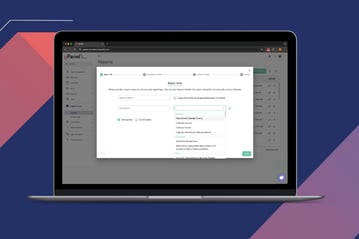
Building an efficient shared mailbox framework depends entirely on aligning your setup with your team's size, security requirements, and operational workflows.
While Google Workspace provides the foundational tools to collaborate from a shared address, managing access manually across an enterprise can cause operational friction.
If your organization needs expert guidance deploying shared inboxes, auditing delegate permissions, or scaling your overall Google Workspace administration, gPanel is here to help. Schedule a gPanel demo today and see how the platform simplifies not only shared mailboxes but also ongoing reporting and user lifecycle automation.




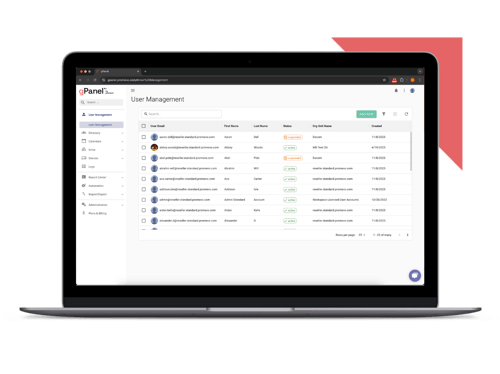
 User Management
 Group Management
 OU Management
 Gmail Management
 Drive Management
 Calendar Management
 Device Management
 Workspace Reporting
 Workspace Automation
 Billing & License Management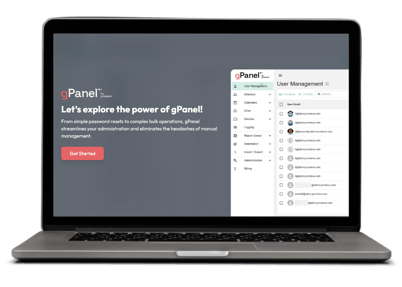


 John Pettit

 John Pettit : Aug 7, 2025, 5:00:00 AM