Managing a Google Workspace environment is a lot like maintaining a growing city.
In the early days, it’s easy to keep track of every street and building. But as your organization scales, you aren't just "adding users." You’re managing a complex web of onboarding, offboarding, messy Drive permissions, and compliance hurdles. Suddenly, you’re dealing with thousands of moving pieces, from delegated administration to license reconciliation.

The native Google Admin Console is a great starting point for the basics. But eventually, most IT teams hit a wall where they simply need more horsepower. That’s where platforms like GAT Labs and gPanel come into play.
Think of them this way:
- GAT Labs is your digital forensic expert, specializing in deep auditing, browser-level monitoring, and security investigations.
- gPanel is your central command center, built to handle the entire operational lifecycle, from billing and licenses to automated workflows and day-to-day administration.
Choosing between GAT Labs vs gPanel is about deciding which administrative priorities matter most to your long-term strategy.
8 Reasons Dedicated Google Workspace Administration Tools Beat the Native Admin Console
The native Google Admin console is great for foundational work. However, once you reach a certain size, the "out of the box" experience starts to feel a little cramped. Dedicated Workspace management tools help close those operational gaps.
- Bulk operations the Admin Console can't touch
Google’s native console often makes you feel like you’re doing data entry. It limits how many large-scale actions you can take at once. Dedicated platforms let you handle bulk user updates, mass group management, and huge permission changes without breaking a sweat. Imagine updating 500 accounts in a few clicks rather than hours of manual work.
- Automated onboarding and offboarding workflows
 Think about the 'hidden' costs of manual offboarding. When an employee leaves, an admin has to manually revoke access to hundreds of files, transfer ownership of critical Projects, and ensure the license is recycled to save costs. If a single Shared Drive is missed, that data could sit in limbo for years… or worse, remain accessible to a former staff member.
Dedicated administrative tools for Google Workspace turn this stressful checklist into a single, automated workflow. These platforms ensure that every departing user is handled with the same level of security and precision, regardless of who is performing the task.
This isn't just about saving time; it’s about eliminating the human error that leads to 2 a.m. security audits.
-
Reporting depth that goes beyond surface-level activity logs
Google’s native reports only show you the tip of the iceberg. Advanced platforms give you the full picture with historical reporting, file exposure visibility, and license utilization reports that help you make smarter governance decisions.
- Centralized license and billing visibility
In many organizations, the IT budget is the most scrutinized line item. The 'Whac-A-Mole' game of license management often leads to 'license bloat,' where companies pay for top-tier Workspace features for users who only need the basics.
A dedicated management platform provides a centralized dashboard where you can see exactly how many licenses are assigned, how many are sitting idle, and where you can downgrade or reallocate to save thousands of dollars annually.
Instead of jumping between the Google Admin Console and your accounting software, you have a single source of truth for both your technical and financial data.
- Granular permission delegation without super admin risk
You shouldn't have to hand out "Keys to the Kingdom" just to let someone manage a few groups. Dedicated tools offer scoped administrative access and approval workflows, reducing your security risk while maintaining accountability.
- Email signature management at scale
Updating email signatures manually is an administrative headache. Dedicated tools automate domain-wide deployment, role-based templates, and compliance disclaimers so your brand stays consistent.
- Real-time alerts and policy enforcement automation
Security issues need a fast response. Many Google Workspace administrative platforms surface real-time alerts and suspicious activity notifications so you can fix violations before they turn into major problems.
- Lifecycle-connected Google Drive governance
Drive permissions change constantly. These tools help you detect exposed files, transfer ownership during offboarding, and keep a close eye on Shared Drives.
GAT Labs vs gPanel: The Quick-Reference Comparison Chart
Comparing GAT Labs vs gPanel usually comes down to whether you need a microscope for security or a megaphone for administration.
|
Feature
|
gPanel
|
GAT Labs
|
|
User & Group Management
|
✅
|
✅
|
|
Onboarding & Offboarding Automation
|
✅
|
✅
|
|
Email Signature Management
|
✅
|
✅
|
|
Calendar & Resource Management
|
✅
|
Limited
|
|
Drive Search & Sweep
|
✅
|
Limited
|
|
License & Billing Management
|
✅
|
❌
|
|
HRIS / ERP Integration
|
✅
|
✅
|
|
Compliance Audit Logging
|
✅
|
✅
|
|
Real-Time Browser DLP
|
❌
|
✅
|
|
Google Diamond Partner
|
✅
|
❌
|
gPanel provides broad administrative support, including Calendar, Resource, and License and Billing Management, while GAT Labs specializes in forensic-level auditing and security features like Real-Time Browser DLP.
 Breaking Down the Pros & Cons of GAT Labs vs gPanel
Choosing between these two isn't about finding the "best" app. It’s about finding the best fit for your team's personality. If your day is spent investigating security breaches, you’ll want a different tool than an admin who is trying to automate the onboarding of 500 new employees.
Both platforms take you past the native console, but they emphasize very different parts of the IT experience.
GAT Labs: Strengths, Limitations & Who It's Built For
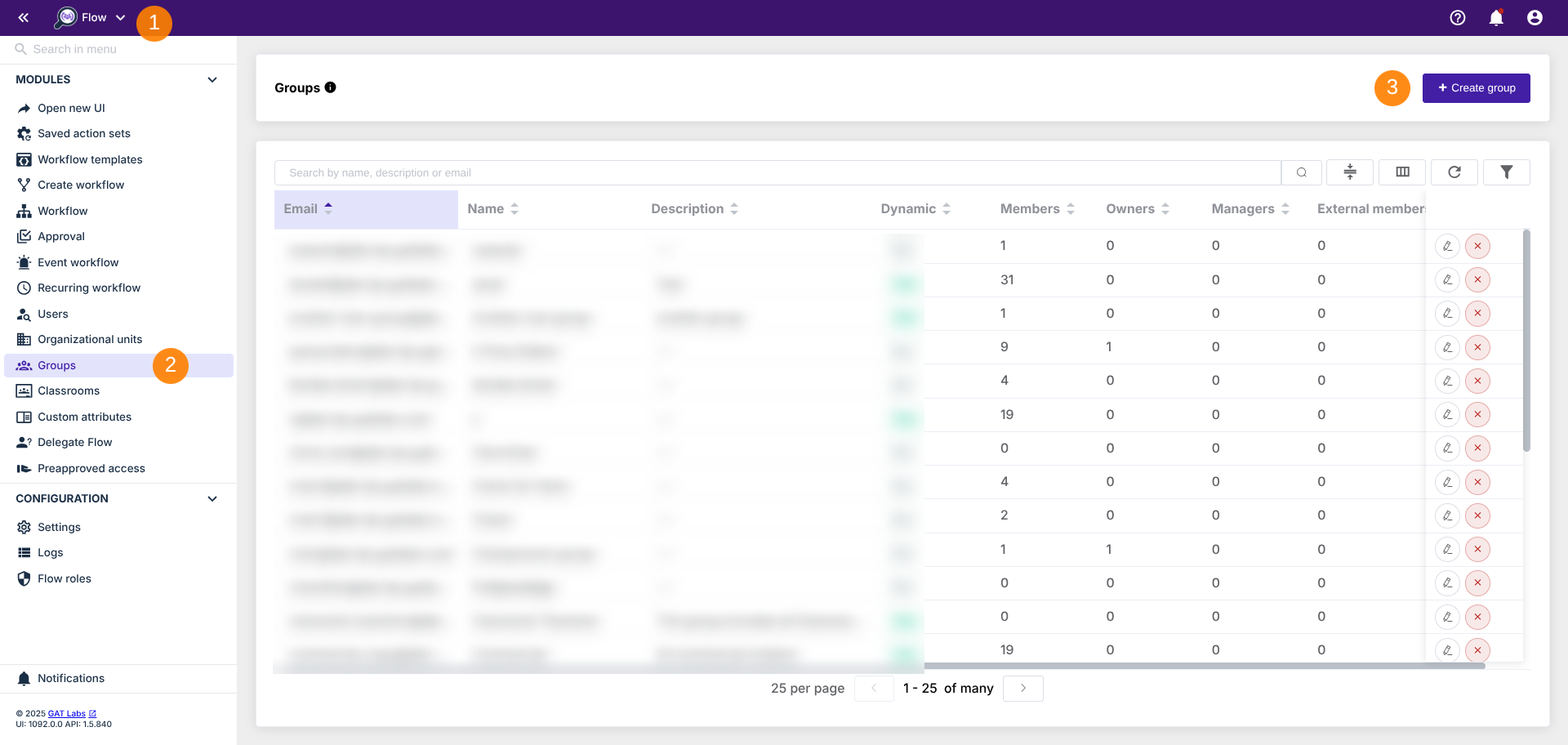
When comparing Workspace management tools, think of GAT Labs as the specialist. It’s built for organizations that need deep forensic auditing and investigative power.
- Strengths: You get incredible Chrome-level DLP monitoring and deep audit visibility into Gmail and Drive.
- Limitations: To get the full experience, you have to buy multiple modules like GAT+, GAT Flow, and GAT Unlock. This "modular" approach can make your billing and operations feel a bit more complex.
“GAT has provided seamless workflows that allow us to effectively manage accounts and data. The customized automated reporting mechanisms allow us to remain informed about specific instances and make informed decisions.”
- Verified User in Consulting on G2
gPanel: What Works & What to Know
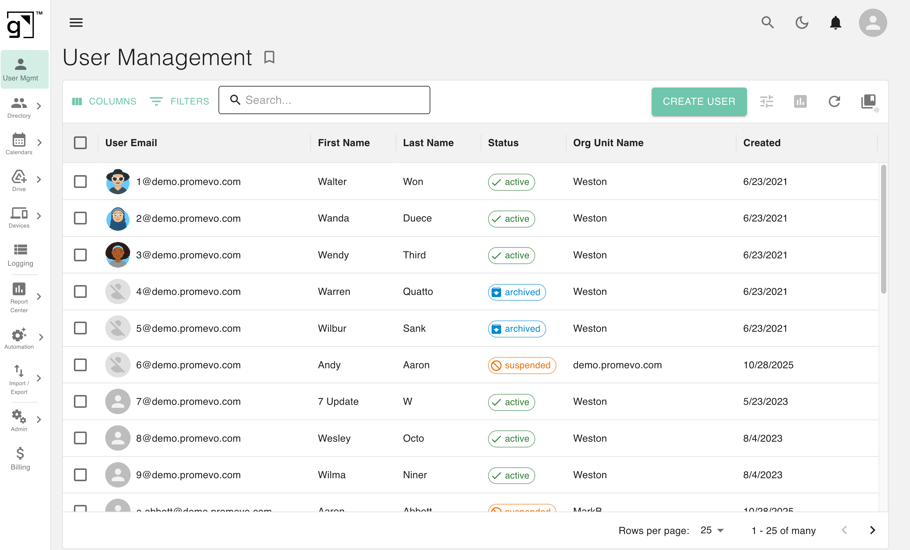
gPanel is the "All-in-One" solution for admins who want a unified cockpit to run their entire Workspace.
- Strengths: It centralizes everything (users, groups, Drive, and even billing) into one place. Plus, it offers over 70 reporting capabilities and offers API access, so you can integrate your Google Workspace environment with critical business systems including your HRIS and ERP platforms.
- Limitations: While it’s an operational powerhouse, it doesn't focus as heavily on the "forensic detective" side of things as GAT does.
“Having used this tool for over a decade, I find it to be one of the most effective solutions for managing Google Workspace.It conveniently combines all administrative options into one platform, which is incredibly useful for user administration, email signature deployment, and reporting.”
- Prabhu S., IT Team Lead on G2
10 Critical Differences That Separate GAT Labs & gPanel
When you’re looking at these side-by-side, the differences aren't just technical; they’re operational. It’s the difference between buying a toolbox and buying one tool at a time.
We want to look at how these platforms handle the "real world" stuff, like how you pay for them, how they talk to Google, and how much work they take off your plate every Monday morning.
|
Difference
|
gPanel
|
GAT Labs
|
|
Breadth vs. Depth
|
Covers the full administrative surface of Google Workspace, users, groups, OUs, Gmail, Drive, Calendar, devices, billing, and reporting, in a single platform
|
Specializes in forensic-level auditing, security investigation, and Chrome endpoint monitoring; core admin breadth requires stacking multiple add-on products
|
|
Billing & License Management
|
Built-in license and billing management lets admins add, remove, and reconcile licenses without leaving the platform
|
No native billing or license management; organizations must handle this entirely within the Google Admin Console or a separate tool
|
|
Workflow Automation
|
Features a no-code Rules Engine that triggers automated actions across Workspace based on user-defined conditions, plus full decommissioning and policy automation
|
Automation is available via GAT Flow, but requires GAT Unlock as a prerequisite purchase; composable workflows exist but are gated behind the product stack
|
|
Pricing Model
|
Three straightforward tiers, Starter ($15/user/year), Standard ($30/user/year), and Enterprise (custom), with full feature access at each tier
|
Modular product stack (GAT+, Unlock, Flow, Shield, FlowHR) means full functionality requires purchasing and managing multiple products; minimum $800/domain/year
|
|
Google Partnership
|
Built by Promevo, a Google Workspace Diamond Partner and Technology Select Partner with deep alignment to Google's ecosystem and roadmap
|
Not a Google Partner; operates as an independent third-party ISV with Google Workspace Marketplace presence
|
|
Onboarding & Offboarding
|
End-to-end user lifecycle management built into the core platform, including automated provisioning, decommissioning, Drive transfer, group removal, and license reassignment
|
Offboarding automation handled via GAT Flow, which requires GAT Unlock; covers most lifecycle tasks but depends on add-on availability
|
|
Drive Management
|
Full-text Drive search, permission management, shared Drive controls, Drive Sweep for ownership transfer, and Drive Explorer for browsing user files
|
Deep Drive auditing and permission reporting; bulk ownership transfer available but file copy creation is not supported natively
|
|
Calendar & Resource Management
|
Full calendar management including event editing, calendar sharing, transfer between users, and resource calendar creation and access control
|
No dedicated calendar management module; calendar data appears in audit logs but admin actions on calendars are not a core feature
|
|
Data Retention & Reporting
|
Enterprise tier provides historical reporting well beyond the 6-month window in the Google Admin Console; 70+ available reports across all Workspace activity
|
Extensive audit log retention and reporting across Drive, Gmail, Meet, Classroom, and third-party apps; reporting depth is a core product strength
|
|
Product Bundling
|
All features available within a single gPanel subscription at the appropriate tier; no separate purchases required to unlock core functionality
|
Full capability requires purchasing GAT+ as a base, then adding Unlock, Flow, Shield, and FlowHR separately depending on use case; total cost escalates with each addition
|
GAT Labs vs gPanel: 8 Common Questions From Google Workspace Admins
If you’re feeling a bit of "analysis paralysis," you aren't alone. Most Google Workspace admins we talk to ask the same handful of questions before they make a move.
We’ve rounded up the most frequent ones to help you clear the air:
- Is GAT Labs only for large enterprises?
No, but it’s a favorite for teams with high compliance and investigative needs.
- How does gPanel handle suspended or departing users?
It automates the whole exit: user suspension, Drive transfer, group removal, and license reassignment
- Does GAT Labs require multiple product purchases for full functionality?
Usually, yes. You’ll likely end up combining GAT+, GAT Unlock, and GAT Flow.
- Which tool is easier to onboard and configure?
If you want a unified platform that just "works" from one dashboard, gPanel is designed for that kind of operational simplicity.
- Can either platform integrate with HRIS or ERP systems?
gPanel supports these workflows, helping you sync your "Source of Truth" with Workspace.
- How does each platform handle delegated admin access?
Both do it, but differently: gPanel focuses on operational delegation (letting people do tasks), while GAT focuses on governance and oversight.
- Which tool offers better value for mid-sized organizations?
If you need broad administration, billing visibility, and automation, gPanel is usually the winner. If your priority is forensic auditing, GAT Labs is the go-to.
- What is the biggest operational difference between GAT Labs and gPanel?
Scope. gPanel is your management hub for the entire Workspace environment; GAT Labs is your audit hub for forensic and compliance investigations.
Ready to Simplify Your Google Workspace Administration?
At the end of the day, IT management shouldn't feel like you’re trying to build a car while you’re driving it. While GAT Labs is a fantastic choice if you need to act as a digital detective ( investigating breaches and monitoring browser behavior), it can often lead to "tool sprawl" because of its modular nature.
 If you’re looking for a solution that genuinely simplifies your life, gPanel is the clear path forward. It doesn't just give you a window into your organization; it gives you the steering wheel. By bundling:
- Billing
- License management
- Calendar control
- And a powerful automation engine into a single platform…
…it removes the friction of jumping between different apps and modules.
Being built by a Google Diamond Partner like Promevo means gPanel is always in sync with the Google ecosystem, giving you an honest, reliable, and scalable way to manage your users without the "modular fatigue." If you want to spend less time managing your management tools and more time driving your organization forward, gPanel is the superior choice for modern Workspace administration.
Schedule a demo today to see gPanel in action.



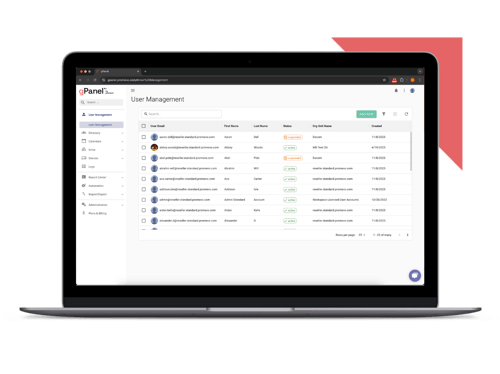
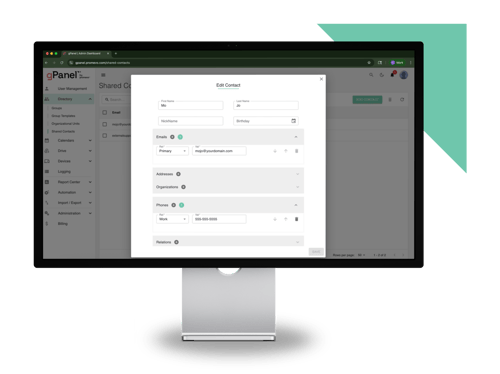
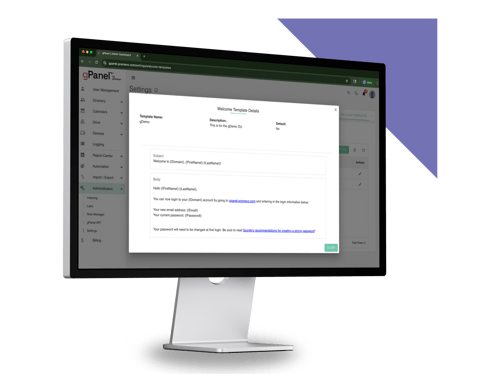
 User Management
 Group Management
 OU Management
 Gmail Management
 Drive Management
 Calendar Management
 Device Management
 Workspace Reporting
 Workspace Automation
 Billing & License Management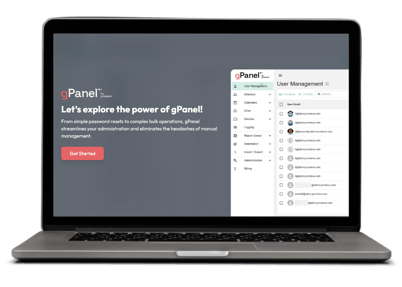


 John Pettit

 John Pettit : Jul 3, 2025, 5:00:00 AM