When you manage a large-scale Google Workspace environment, you are essentially running a massive digital engine that powers every corner of the business. But as your organization grows, keeping that engine running smoothly reveals two entirely separate types of friction.
On one side, you have the business process bottleneck: departments like HR, finance, and operations drowning in manual document approvals and repetitive paperwork.
 On the other side, you have the IT infrastructure strain: security teams flying blind against hidden data sharing, dealing with Super Admin sprawl, and wrestling with a native Google Admin console that requires too many manual steps to scale.
When looking for platforms to automate these headaches, Zenphi and gPanel are two names that constantly show up.
Because both tools integrate deeply into Google Workspace to save time and eliminate manual work, it's common for teams to view them as alternatives to each other. But the reality is that they were built for completely different purposes.
Business Automation
Zenphi
Built for general business teams
A no-code process automation platform built for general business teams to orchestrate everyday office workflows.
vs
Administrative Control
gPanel
Built for IT teams
Built by Promevo, a dedicated enterprise administration and governance console engineered strictly for IT teams to secure, manage, and audit their live Google environment.
- Zenphi is a no-code process automation platform built for general business teams to orchestrate everyday office workflows.
- gPanel, built by Promevo, is a dedicated enterprise administration and governance console engineered strictly for IT teams to secure, manage, and audit their live Google environment.
Choosing the right tool isn't about finding the "better" software; it's about identifying exactly where your operational bottleneck lives.
Before You Pick a Side, Understand What Each Software Was Built to Do
To make an informed software decision, you have to look past basic marketing checkboxes and understand the core design philosophy behind each platform.
- Zenphi approaches Workspace automation from a business process perspective. Its primary goal is to help non-technical users eliminate repetitive, daily tasks, connect separate business applications, and route information smoothly between different teams and departments.
Think of Zenphi as a digital bridge that connects Google Workspace tools with external applications to handle multi-step business logic, such as routing a contract for signature or processing an invoice.
- gPanel, on the other hand, approaches automation from an administrative and governance perspective. Its goal is to give Google Workspace administrators the tools they need to manage users, secure devices, control licensing, and protect corporate data assets effectively.
gPanel is built to resolve the strain felt by IT leaders who are accountable for company data security and regulatory compliance, but lack the granular control tools within Google's native Admin console.
Here's a table that outlines these differences:
If your primary operational bottleneck is driven by operational teams drowning in paperwork, manual approvals, and broken cross-functional handoffs, Zenphi is built to solve that problem.
If your bottleneck is an IT team buried under ticket backlogs, relying on risky super admin access, or flying blind regarding who is sharing what on Google Drive, gPanel is engineered specifically to fix those vulnerabilities.
Zenphi: The No-Code Process Automation Platform Built on Google Workspace
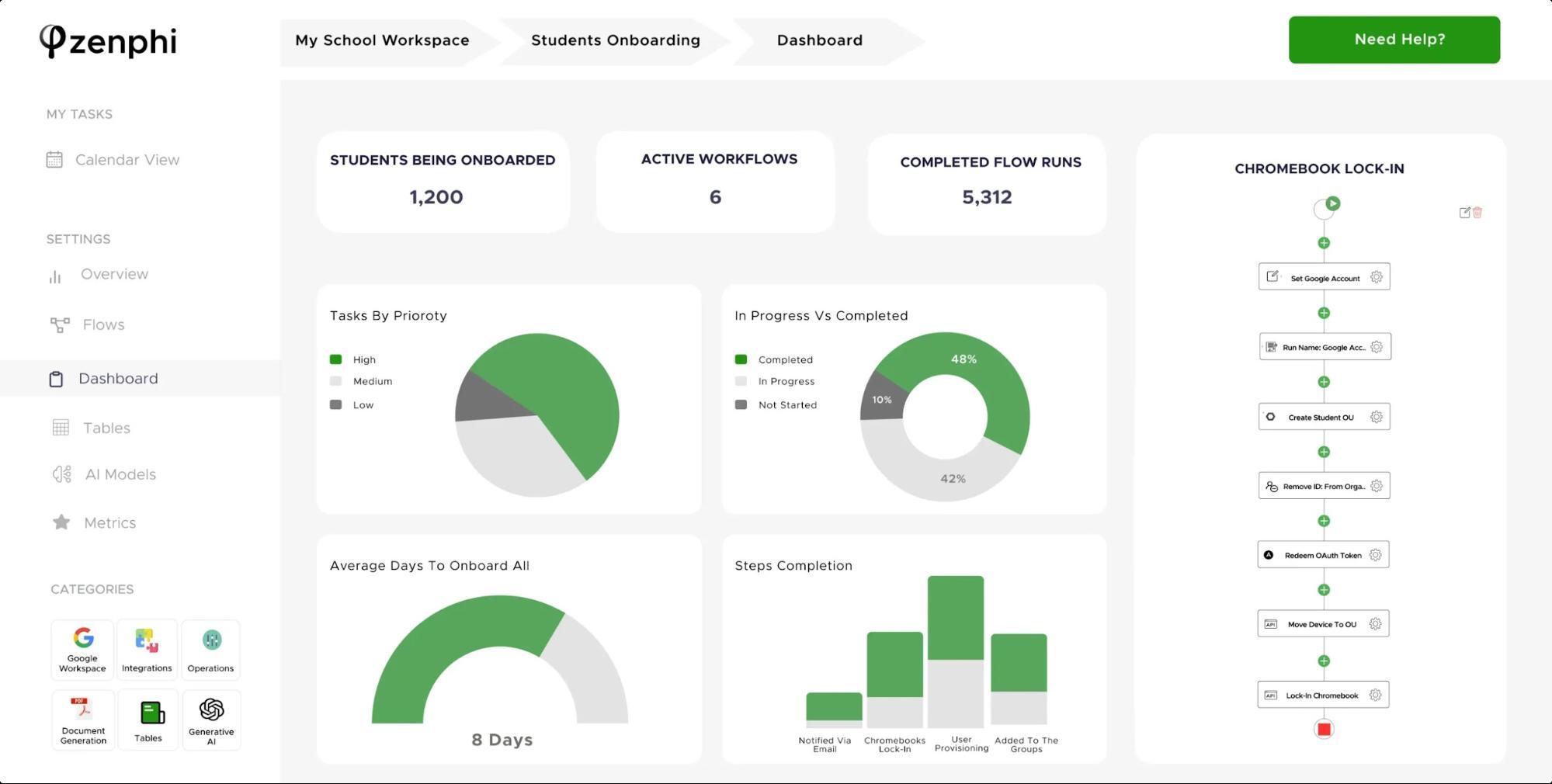
Now that we've looked at each tool's overarching approach, let's look at each platform individually.
Zenphi is a visual, no-code workflow automation engine created to help teams build out complex business logic without needing software developers or writing specialized code.
The platform centers around a drag-and-drop visual builder that enables users to establish triggers within Google Workspace apps (such as a form submission or a new file arriving in a folder) and connect them to specific actions inside or outside of Google's ecosystem.
Most companies turn to Zenphi to automate tasks such as:
- Invoice and Accounts Payable Cycles: Automatically extracting data from arriving invoices, routing them to the correct manager for approval, and updating financial tracking tools.
- Cross-Functional Human Resource Requests: Coordinating employee leave approvals, expense claims, or internal equipment requests across business units.
- Document Generation and Routing: Automatically generating custom contracts or reports from Google Sheets data and emailing them to clients for review.
- AI-Assisted Workflow Development: Leveraging built-in AI agents to help operational teams parse unstructured text or dynamically summarize workflow metrics.
Zenphi also features a library of pre-built integrations with third-party tools like HubSpot, Salesforce, Jira, and Typeform.
"Zenphi has solved a number of inefficiencies in our Workflow processes, particularly in automating manual works such as Order tracking, Invoice and Inventory Management. By automating these repetitive tasks, we've been able to focus more on strategic decisions and improve customer service."
Suzy R., Verified Reviewer on Software Advice
gPanel: The Command Center for Every Google Admin Task That Matters
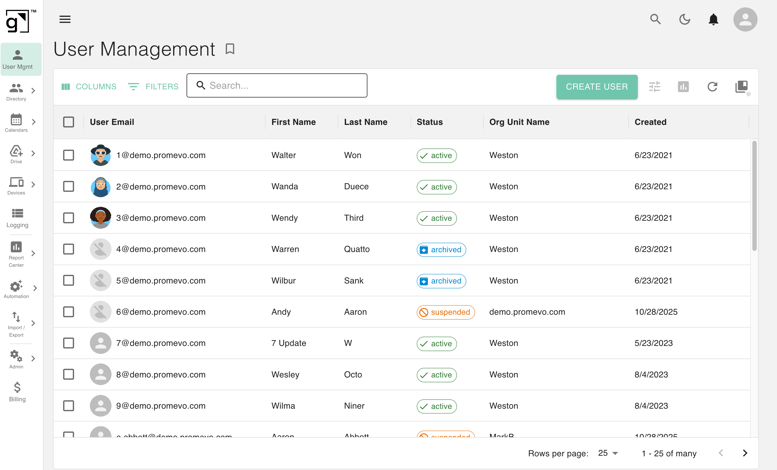
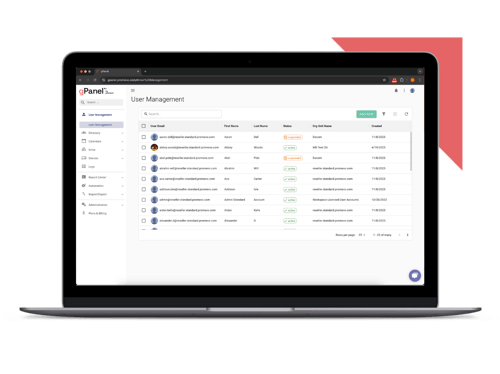
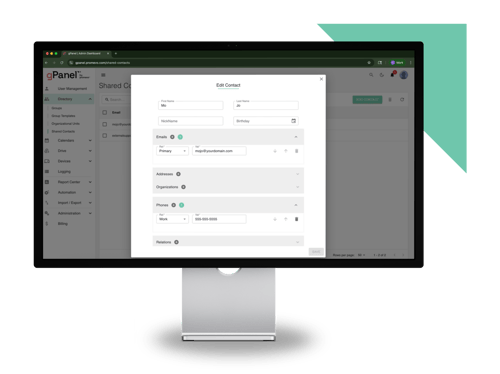
gPanel is a Google Workspace console built by Promevo, a Google Diamond Partner, specifically for IT administrators and their teams. It focuses entirely on extending, simplifying, and securing the actual administration of your active Google domain.
It gives IT leaders the necessary operational structure to protect corporate data and scale operations safely without adding to internal headcount.
Users rely on gPanel to streamline core administrative tasks, including:
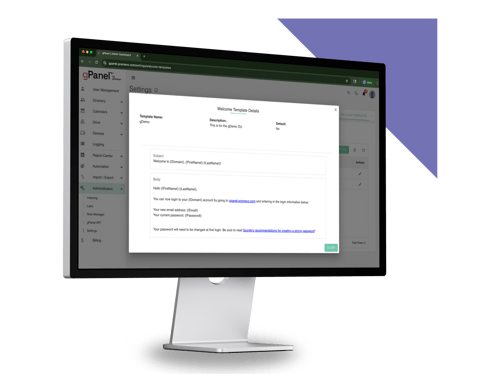
- User Provisioning & Advanced Lifecycle Steps: Executing complete onboarding and offboarding paths that instantly assign users to correct Organizational Units (OUs), configure native group policies, recycle active licenses, and handle direct file ownership transfers.
- Google Drive Security Governance: Utilizing specialized "Search & Sweep" capabilities to uncover hidden data exposure, track down unmanaged Shared Drives, and revoke risky external sharing permissions in bulk.
- Granular Scoped Admin Delegation: Safely breaking down administrative access by creating customized, limited-visibility roles, allowing support staff to handle basic account resets or group adjustments without exposing full super admin privileges.
- Comprehensive Compliance Auditing: Utilizing over 70 built-in, schedulable reports covering user activity, file permissions, and license usage to maintain continuous audit readiness.
As of writing, gPanel is considered the Leader and the Easiest to Use Google Workspace administration software on G2.
"I wouldn't even think about administering a Google Workspace without gPanel. There are so many features that Google doesn't have in its own admin console, and gPanel goes above and beyond to fill those gaps. From being able to edit a user's Gmail settings, to managing delegation and even automating offboarding, gPanel has it all. On top of that, their support and dedication to their customers is top notch!"
Christopher L., System Administrator on Sourceforge
Cut to the Chase: The Full Comparison at a Glance
When choosing between these tools, it helps to see how their core features stack up side by side.
Zenphi vs. gPanel: Full Feature Comparison
This bird's-eye view highlights a distinct operational pattern: Zenphi targets general business efficiency by connecting non-technical team members with automation, while gPanel focuses on providing deep control and governance security for the IT admins keeping the environment safe and functional.
8 Key Differences That Make Choosing Between These Platforms Surprisingly Simple
If you're still struggling to decide which platform meets your current needs, breaking the decision down across these eight critical dimensions can help.
8 Key Differences at a Glance
Both tools excel in their respective use cases; it comes down to the specific problems your organization is trying to solve.
8 Reasons Why Google's Native Admin Console Fails At Scale
Many IT leaders ask why they need an external tool like gPanel or Zenphi when Google provides its own native Admin console for free.
The reality is that while Google's standard administrative interface can scale from a technical standpoint, it's prone to bottlenecks as businesses grow.
 Bulk Operations Are Too Limited
Executing changes across thousands of users at once inside the standard Admin Console is a tedious process. It often forces admins to jump through repetitive screens, process batch CSV files manually, or click through individual account records, draining valuable engineering time and introducing opportunities for human error.
- Onboarding and Offboarding Require Too Many Manual Steps
Secure offboarding involves a laundry list of distinct steps: revoking application access, wiping mobile devices, wiping calendar data, and transferring critical file ownership. Inside the native Admin console, these actions are disconnected and manually executed across multiple configuration screens.
- Reporting Only Shows You the Surface
Google's native event logging provides a high-level view of system actions but lacks the granularity and long-term data retention required for sophisticated corporate auditing. It makes compiling comprehensive user trails or running targeted historical data audits a complex, reactive process.
- License Management Lives in a Black Box
Tracking down underutilized or completely abandoned user accounts to reclaim expensive active licensing fees is difficult inside the standard dashboard. Without centralized reporting tools, organizations routinely waste thousands of dollars paying for licenses assigned to long-departed employees or inactive service accounts.
- No Scoped Admin Delegation Without Super Admin Risk
Large enterprises need to delegate basic support tasks, like changing passwords or managing specific department groups, to local helpdesk technicians. Unfortunately, native Google roles often lack granular scoping parameters. This often forces companies to grant elevated Super Admin rights to junior staff, increasing internal security risks.
- Automation Is Basically Nonexistent
The standard Admin Console is designed for manual management, not policy-driven automation. Recurring tasks, such as applying mandatory email signatures to new hires or checking for compliance overrides, cannot be scheduled natively and often require custom scripts.
- Drive Governance Has Serious Blind Spots
While you can search for a specific file inside the native Admin console, you cannot easily sweep your entire Google Drive footprint to locate every document shared externally or flag orphaned folders left behind by former employees. This creates massive data visibility gaps that threaten compliance standing.
- Cross-Domain Administration Is Fragmented
For multi-tenant enterprises or companies managing multiple separate domains under a single corporate umbrella, native management is highly fragmented. Admins must constantly flip between separate browser sessions and interfaces, obscuring unified visibility and complicating universal security policy enforcement
Still Not Sure? Here Are the Answers to the 11 Most Common Questions
Let's address the eleven most common questions IT directors and process owners ask when evaluating these two systems:
 Can Zenphi replace the Google Admin Console?
No. Zenphi does not possess backend domain administration capabilities. It is a business workflow tool that interacts with Google services via standard API configurations to pass data between systems.
- Does gPanel integrate with third-party tools like HubSpot or Jira?
Yes, while it does not include native integrations for these specific tools, the gPanel Enterprise tier includes access to the gPanel API, which features more than 210 endpoints across six different types of tools including identity and access, security and compliance, collaboration and data, communication, device control, and lifecycle automation.
- Is gPanel only for large enterprises?
No. While gPanel is highly valued by enterprises with thousands of users, mid-sized organizations also use it to eliminate manual errors, introduce scoped admin controls, and run deep compliance reporting.
- Does Zenphi require coding knowledge to set up workflows?
No. Zenphi is a true no-code platform that features a drag-and-drop visual workflow builder, making it highly approachable for non-technical team members.
- How does pricing scale as my team grows?
Zenphi typically relies on flat-rate monthly software tiers based on your workflow volume, keeping costs predictable regardless of headcount growth. gPanel scales predictably on a per-user, per-year basis across three simple pricing plans (Starter, Standard, and Enterprise).
- Which platform handles compliance requirements better?
They address compliance from two separate angles. Zenphi ensures that your internal human workflows follow strict, repeatable paths. gPanel provides the deep technical controls, file-exposure sweeping, and comprehensive audit logs required to pass strict data privacy and security audits.
- Can both tools be used together in the same environment?
Yes. For example, Zenphi could route an approved onboarding request from HR, while gPanel handles the resulting Workspace account setup, group assignments, licenses, and offboarding controls. Confirm the available integration method and required gPanel tier before designing a connected workflow.
- What happens to my Workspace data if I switch tools?
Your data remains completely safe and untouched inside Google Workspace. Both platforms operate strictly on top of Google Workspace's cloud infrastructure via standard secure APIs and admin permissions, meaning your actual core storage files never leave your domain.
- Which platform is easier to get up and running quickly?
Both Zenphi and gPanel are incredibly easy to set up. With Zenphi, you just need to configure the tool as a trusted app in Google Workspace. For gPanel, you just need to install the app via the Google Workspace Marketplace.
- Does gPanel support approval workflows?
gPanel does not offer a formal approval workflow, but it is on our roadmap! In the meantime, admins can toggle Change Logs before users take certain actions, such as viewing Shared Drives. They can also use the Rules Engine to set up real-time alerts for actions taken in gPanel or the Google Workspace domain.
- What happens when Google Workspace outgrows native admin tools?
When manual management and custom scripts begin to strain under enterprise growth, organizations adopt platforms like gPanel to centralize visibility, automate administrative tasks, and enforce uniform domain governance.
Ready to Take Control of Your Admin Workflows? Choose the Best Tool for Your Buck
Choosing between Zenphi and gPanel comes down to matching the right software solution to the exact operational bottleneck facing your business.
 Zenphi is a good fit if your primary goal is to empower non-technical business units to automate their horizontal workflows, connect third-party platforms, and eliminate tedious paperwork without relying heavily on your internal IT helpdesk. It expands what your business teams can automate.
gPanel by Promevo is the right choice if your primary goal is to relieve the operational strain on your IT team, secure corporate assets against data leak risks, safely delegate administrative control, and replace custom scripts with structured, repeatable automation. It expands what your IT teams can control.
Instead of forcing one tool to handle everything, modern businesses achieve the strongest, most stable security outcomes by deploying each software where it is naturally engineered to win. Pick Zenphi to fix the paperwork problem. Pick gPanel to fix the IT problem. Most enterprises eventually need both.
Schedule a personalized gPanel demo here.



 User Management
 Group Management
 OU Management
 Gmail Management
 Drive Management
 Calendar Management
 Device Management
 Workspace Reporting
 Workspace Automation
 Billing & License Management


 John Pettit

 Brandon Carter : Dec 18, 2023, 5:00:00 AM

 John Pettit