For modern healthcare practices, hospitals, and medical service providers, Google Workspace offers an appealing, intuitive ecosystem. Doctors, nurses, and administrative staff love how easy it is to communicate, manage calendars, and review documents in real time.
However, when Protected Health Information (PHI) enters the equation, convenience has to be balanced with strict regulatory responsibility.
 A common misconception among growing healthcare organizations is that simply purchasing Google Workspace and signing a Business Associate Agreement (BAA) automatically makes their domain HIPAA compliant.
In reality, Google Workspace is HIPAA-ready, not HIPAA compliant out of the box. Google provides secure cloud infrastructure and encrypted storage, but transforming those capabilities into a compliant environment requires deliberate administrative setup, strict access controls, and ongoing domain governance.
Operational Disclaimer: This article provides operational guidance for risk reduction and domain configuration. It does not constitute legal counsel, formal compliance auditing, or a formal determination of legal HIPAA standing.
What Google's BAA Actually Covers (& What It Doesn't)
A Google Workspace Business Associate Agreement (BAA) is a legally binding contract that defines which Google services are permitted to handle Protected Health Information (PHI) under federal HIPAA guidelines. However, signing the BAA does not mean everything under the Google umbrella is suddenly protected.
The BAA applies only when you use eligible core services under a paid Workspace account. Healthcare IT leaders must understand this boundary. If a staff member accidentally inputs patient health details into an uncovered consumer service, the BAA offers zero protection, creating a direct compliance violation.
Here is the exact breakdown of what falls under Google's Workspace BAA coverage as of writing versus what sits outside of HIPAA protection. (Source: Google's official HIPAA Included Functionality list.)
|
Covered Under Google's BAA
|
NOT Covered Under Google's BAA
|
|
✅ Gmail (paid Workspace accounts only)
|
❌ Free, personal @gmail.com accounts
|
|
✅ Google Drive (including Docs, Sheets, Slides, Forms)
|
❌ YouTube
|
|
✅ Google Calendar
|
❌ Google Maps
|
|
✅ Google Chat
|
❌ Google Ads
|
|
✅ Google Meet
|
❌ Blogger
|
|
✅ Google Keep
|
❌ Google Photos
|
|
✅ Google Vault
|
❌ Google Business Profile/ My Business
|
|
✅ Google Sites
|
❌ Most "Additional Google Services" in the Admin Console
|
|
✅ Cloud Search
|
❌ Third-party Marketplace apps and browser extensions (even when installed through the Workspace Marketplace)
|
|
✅ Google Voice (provisioned/managed users only)
|
❌ Gemini in Chrome (the browser sidebar)
|
|
✅ Gemini for Google Workspace (Core Service version only)
|
❌ Gemini mobile app used with a personal Google account
|
|
✅ Google Groups
|
❌ Google Contacts
|
|
✅ Google Tasks
|
❌ Google Cloud Platform (GCP has a separate BAA from Workspace)
|
|
✅ Google Vids
|
-
|
|
✅ Cloud Identity Management
|
-
|
Critical Warning for Healthcare Staff: Google Contacts is not covered under Google's Workspace BAA. If clinic staff enter patient names, phone numbers, and treatment notes into standard Google Contacts, they are storing unencrypted PHI in a service outside Google's Workspace BAA coverage, regardless of whether the underlying data is encrypted at rest. Patient contact details tied to medical care must live within an EHR or a dedicated, admin-governed system.
Who's Actually Responsible for What? Breakdown of HIPAA Responsibility
HIPAA compliance operates on a Shared Responsibility Model. Google handles the physical security of data centers, baseline infrastructure encryption, and core platform availability. Your organization carries 100% of the operational responsibility for how those tools are configured, who receives access, and how patient data is handled day-to-day.
Here is where Google's legal liability ends and where your administrative responsibility begins:
|
Responsibility
|
Google
|
Your Organization
|
|
BAA and service scope
|
Offers the BAA; publishes which services are covered
|
Signs the BAA; restricts PHI to covered services only; gets a separate BAA from any third-party app that touches PHI
|
|
Encryption
|
Encrypts data at rest by default; encrypts email in transit when the receiving server supports it
|
Closes the transit gap with MTA-STS, S/MIME, or a third-party encryption add-on; documents patient consent if unencrypted email is used
|
|
Access controls and sharing
|
Provides the settings (OUs, sharing defaults, DLP, "anyone with the link" toggle)
|
Configures and enforces those settings; sets unique logins (no shared credentials); enforces MFA
|
|
Audit logging
|
Provides native Admin Console logs
|
Enables, reviews, and retains logs beyond Google's native limits; documents BAA signing and OU rationale
|
|
Offboarding and third-party apps
|
Maintains the OAuth/Marketplace framework
|
Removes access promptly on role change or exit; approves and allows lists apps before connection
|
|
Workforce behavior
|
—
|
Trains staff on PHI handling, phishing, and where PHI shouldn't go (Contacts, Calendar titles, Chat space names); reports incidents
|
|
Terms of Service compliance
|
Can suspend accounts and remove content for ToS violations, independent of BAA status
|
Prevents unauthorized use and notifies Google of compromised accounts to avoid a suspension that itself triggers a breach (PHI becomes unavailable)
|
Which Google Workspace Edition Do You Actually Need for HIPAA Compliance?

Every paid Google Workspace tier allows administrators to sign Google's Business Associate Agreement. However, signing the BAA on a tier that lacks essential security and retention tools can leave you exposed during an audit.
Selecting the right edition depends on your PHI volume, staff count, and need for automated data controls.
Business Starter & Business Standard (The BAA Without the Controls)
Both of these entry tiers work well for basic administrative staff who never handle health records, but they fall short for clinical teams.
- Can sign Google's BAA: Enables basic HIPAA coverage for core services.
- No Google Vault: Lacks the legal hold, eDiscovery, and long-term retention tools most compliance programs use to meet HIPAA's own documentation-retention rule (six years, generally cited to 45 CFR § 164.316) and any separate state-level medical-record retention requirements.
- No Advanced Data Loss Prevention (DLP): Lacks automated rules to block employees from emailing Social Security numbers or patient charts externally.
Business Plus (The Practical Minimum)
For small practices and growing clinics, Business Plus is the baseline edition required to run a compliant operation.
- Includes Google Vault: Unlocks retention rules, legal holds, and audit-ready data search across Gmail, Drive, Chat, and Groups.
- Basic Endpoint Management: Allows IT to enforce mobile passcodes, encrypt device storage, and remotely wipe lost hardware.
Enterprise Standard & Enterprise Plus (Built for Scale & Oversight)
The Enterprise editions of Workspace are designed for larger healthcare networks, hospitals, and compliance-focused organizations.
- Advanced Data Loss Prevention (DLP): Automatically scans emails and Drive files for PHI patterns (ICD-10 codes, medical record numbers) and blocks improper sharing.
- Context-Aware Access: Controls access based on user identity, device posture, and IP location (e.g., blocking access if a doctor logs in from an unmanaged home laptop).
- Security Center & Investigation Tool: Delivers centralized threat intelligence, anomaly detection, and instant incident response options.
How Compliance-Minded Workspaces Simplify Their Administration
Maintaining a secure, well-governed Google environment requires constant administrative attention. Even when your Workspace edition and BAA are properly established, daily operational challenges remain (such as ensuring departing employees lose access instantly, auditing Shared Drive permissions, and managing admin permissions safely).
This is where gPanel by Promevo supports your IT operations.
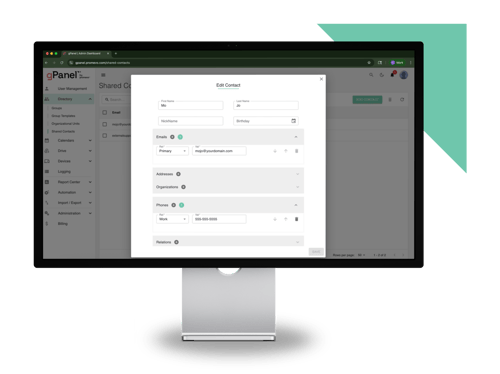
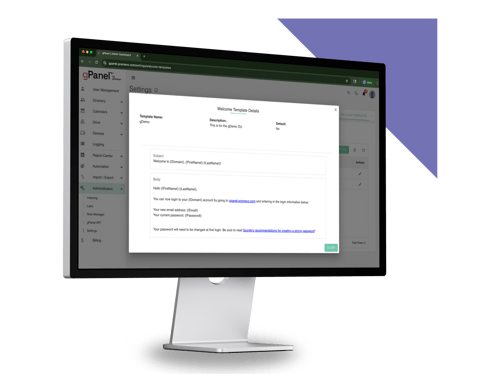
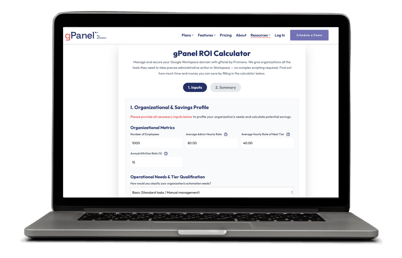
gPanel is a central Google Workspace management console designed to simplify daily administration. While gPanel itself does not confer HIPAA compliance (which is determined by your organization's total technical and administrative framework), it equips IT teams with the centralized controls, reporting visibility, and automation tools needed to manage a structured, policy-aligned domain efficiently.
Where gPanel Supports Administrative Controls (& Where Responsibility Stays With You)
gPanel streamlines domain administration and eliminates tedious manual steps, but overall compliance responsibility remains with your organization. The table below illustrates how gPanel simplifies operational management while maintaining clear organizational accountability.
|
Administrative Risk
|
Native Workspace Process
|
How gPanel Changes It
|
What Stays Your Responsibility
|
|
Lingering access after a role change or departure
|
Manual revocation, per user, per service
|
Bulk offboarding across the full account lifecycle in clicks
|
Deciding when offboarding should trigger
|
|
OU structure that doesn't segregate PHI-handling staff
|
Manual OU build and upkeep in Admin Console
|
Centralized reporting on OU structure and service access
|
Defining which roles belong in which OU
|
|
Audit logs that don't go back far enough or go unreviewed
|
Native logs, default retention, ad hoc review
|
Centralizes logs beyond Google's standard retention window
|
Actually reviewing logs on a schedule
|
|
External sharing left open ("anyone with the link") at scale
|
Manual, OU-by-OU sharing checks
|
Search & Sweep identifies external sharing domain-wide
|
Setting the sharing policy itself
|
|
No visibility into which licenses are used where PHI lives
|
Manual cross-reference of users vs. tiers
|
Custom reporting surfaces edition gaps (e.g., no DLP/Vault)
|
Choosing and upgrading the right edition
|
How to Sign & Document Google's BAA
Executing Google's Business Associate Agreement is a mandatory step that must be completed before any PHI enters your domain. Follow these six steps to execute and document the agreement properly.
-
Confirm Your Workspace Edition Qualifies
Verify that your domain runs a paid Workspace tier that supports BAA execution.
 Locate the BAA in the Admin Console
Log into the Google Admin Console as a Super Admin, navigate to Account → Account settings, and select Legal and compliance. - Review the Terms of Service Obligations
Read the HIPAA Business Associate Amendment details, noting the exact boundaries of covered core services.
- Digitally Sign the Business Associate Amendment
Complete the electronic signature wizard inside the console to activate legal coverage.
- Document the Signing for Your Compliance Records
Save a PDF copy of the executed BAA confirmation, noting the timestamp and the signing Super Admin's identity in your official compliance archive.
- Restrict Non-Covered Services
Immediately turn off non-covered additional services (like YouTube, Google Photos, or consumer add-ons) for any Organizational Unit handling patient information.
8 Spaces Where PHI Quietly Leaks Without Anyone Noticing
Data breaches in healthcare rarely happen through sophisticated external hacks. They happen through daily employee habits, misconfigured default settings, and overlooked settings.
Watch out for these eight common exposure points in your organization.
-
Google Contacts Holding Patient Information
Clinical staff frequently save patient names, phone numbers, and treatment notes into Google Contacts for convenience. Because Contacts is not a BAA-covered service, this creates creates a coverage gap: the data may still be encrypted at rest, but it now lives in a service the BAA doesn't reach.
- "Anyone With the Link" Sharing on Drive Files
A physical therapist creates an exercise guide containing patient details and sets file sharing to "Anyone with the link can view." That document is now indexed and accessible to anyone who obtains the URL, bypassing authentication.
- Gemini in Chrome (The Sidebar Assistant)
While Gemini for Google Workspace (the core service) is covered under the BAA, Gemini built into the Chrome browser sidebar is not covered. Employees pasting patient text into the browser sidebar inadvertently expose PHI.
- Unencrypted Email to External Providers
Sending emails containing PHI to external specialists without transport encryption (TLS/MTA-STS) or message-level encryption (S/MIME) exposes patient data in transit.
- Calendar Event Titles and Descriptions
Reception staff often put full patient names and appointment reasons (e.g., "John Doe - Oncology Follow-up") in Google Calendar invite titles. Calendar metadata can be exposed if calendar visibility defaults are set broadly across the domain.
- Shared Inboxes Without Unique Logins
Staff sharing a single password to access a reception@clinic.com inbox destroys audit trail accountability. When PHI is accessed, IT cannot prove which specific employee viewed the record.
- Abandoned Third-Party App Permissions
An employee installs a third-party PDF editor extension to convert medical forms, granting it permission to read Google Drive files. That third-party vendor lacks a BAA, creating an ongoing security vulnerability.
- Shadow Tools Outside Admin Control
Employees using personal Google accounts or unvetted web applications to process workload tasks bypass central IT controls entirely, exposing the enterprise to regulatory penalties.
4 Ways to Confirm the Configuration Actually Works
A signed BAA and a set of written policies do not guarantee operational security. IT administrators validate their settings internally by testing technical controls under realistic operational scenarios:
- Run a Drive Permission Sweep
Use gPanel's Drive Sweep tool to scan every file in your domain for public or external link sharing. This kind of check belongs in a broader Google Workspace security routine, not just a HIPAA-specific one.
- Simulate an Employee Offboarding
Execute an offboarding sequence to verify that revoking access immediately cuts off Gmail, Drive, mobile access, and third-party app tokens across all devices.
Then after you’ve revoked access, any PHI-containing files that departing employee owned in Drive still need a new owner, which is where transferring Google Drive file ownership becomes part of the offboarding checklist.
- Audit Third-Party OAuth Access
Review every Marketplace app connected to your domain and block any tool that lacks a signed BAA.
- Verify Vault Retention Rules
Run test eDiscovery queries inside Google Vault to confirm that patient communications are retained according to statutory schedules.
Audit Disclaimer: Performing internal configuration reviews and testing workflows is an operational best practice to verify that your admin settings match your intended policies. These internal checks do not constitute an official legal audit or formal HIPAA certification. Organizations seeking formal compliance validation should engage certified healthcare compliance auditors.
Still Have Questions About Google Workspace & HIPAA? Start Here
Here are the most common questions that Google Workspace administrators ask regarding HIPAA compliance:
-
Can I Use Google Workspace for a Solo Medical Practice?
Yes. Solo practitioners can run a compliant Workspace environment provided they use a qualifying paid edition, sign the BAA, and configure security controls properly.
-
Does HIPAA Compliance Carry Over to Personal Devices?
No. If staff access Workspace on personal smartphones (BYOD), IT must enforce mobile endpoint management, require device passcodes, and isolate corporate data from personal applications.
- What Happens If an Employee Leaves and Still Has Access?
Lingering access creates an immediate HIPAA violation and security breach risk. IT teams must execute automated offboarding workflows that revoke access across all applications instantly.
- Is Google Voice HIPAA Compliant for Patient Calls?
Google Voice is covered under the Workspace BAA only when provisioned as a managed user service on a paid Workspace account. Consumer Google Voice accounts are not covered.
- Do I Need Enterprise Tier, or Will Business Plus Work?
Business Plus is the practical minimum for small practices because it includes Google Vault retention. Larger organizations require Enterprise tiers to utilize automated Data Loss Prevention (DLP) and Context-Aware Access.
- How Long Does Google Retain Data After an Account Is Deleted?
Once an account is permanently purged from Google's system, recovery is impossible unless legal holds or retention rules were previously established inside Google Vault.
- Can Patients Email Me Directly Without Violating HIPAA?
Yes. Duty-of-care guidelines allow patients to initiate email communication. However, once patient information enters your environment, your storage, processing, and outward responses must comply with HIPAA encryption standards.
- What's the Penalty If We're Found Non-Compliant?
As of the writing of this article, HHS enforces HIPAA violations across four culpability tiers, with per-violation penalties running from roughly $145 (lowest tier) up to $73,011 for corrected willful neglect, and a $2,190,294 annual cap per identical violation type at the top tier.
HHS adjusts these figures for inflation annually, so treat the exact numbers as a snapshot. Corrective action plans and reputational damage typically follow regardless of the dollar amount.
- Do Google's AI Features Ever Train on Our PHI?
Google Workspace core services operating under an active BAA do not utilize your organizational data or PHI to train public consumer AI models.
- How Often Should We Re-Audit Our Workspace Configuration?
gPanel recommends comprehensive technical audits quarterly, plus one immediately after major staffing shifts or software additions. (HIPAA itself doesn't set a fixed audit cadence; this is a best-practice recommendation, not a regulatory requirement.)
- Are Marketplace Apps Covered Under HIPAA?
No. Third-party Google Workspace Marketplace add-ons sit outside Google's BAA. You must execute a separate BAA directly with each app vendor.
Take Control of Your Google Workspace Administration & Governance
Real HIPAA readiness is an ongoing administrative discipline, not a one-time project.While Google provides the secure cloud infrastructure, your IT team carries the daily operational responsibility of enforcing access controls, monitoring data sharing, and preventing human error across your domain.
Trying to maintain total governance using native Admin Console settings alone creates visibility gaps and manual workarounds that put your business at risk.
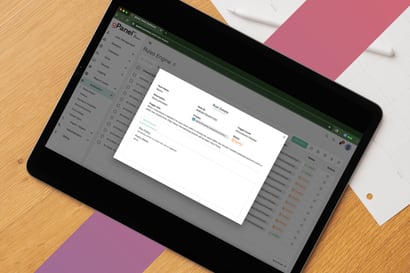
gPanel gives smart IT leaders the centralized visibility, automated offboarding workflows, and "Search & Sweep" security tools needed to master Google Workspace administration. By turning complex policies into automated digital guardrails, gPanel helps you reduce security risks, protect sensitive data, and run a clean, audit-ready environment with confidence.
Schedule a demo of gPanel today to streamline your Google Workspace governance and administration.


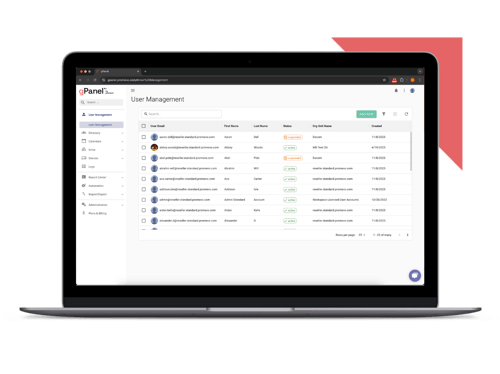
 User Management
 Group Management
 OU Management
 Gmail Management
 Drive Management
 Calendar Management
 Device Management
 Workspace Reporting
 Workspace Automation
 Billing & License Management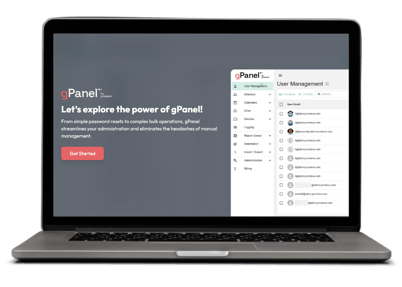


 John Pettit

 John Pettit : May 20, 2026, 5:00:00 AM