 User Management
 Group Management
 OU Management
 Gmail Management
 Drive Management
 Calendar Management
 Device Management
 Workspace Reporting
 Workspace Automation
 Billing & License Management

CloudM vs gPanel: For What & When to Use Each?
 John Pettit : Jun 25, 2026, 5:00:00 AM
Discover the difference between CloudM and gPanel. Learn how to choose the right platform for enterprise Google Workspace governance and migration...


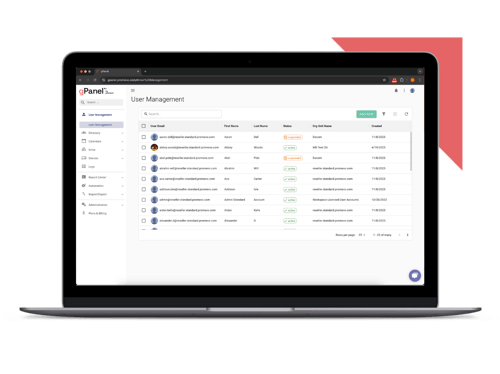
Simplify Google Workspace management with our most essential tools for user and email administration.
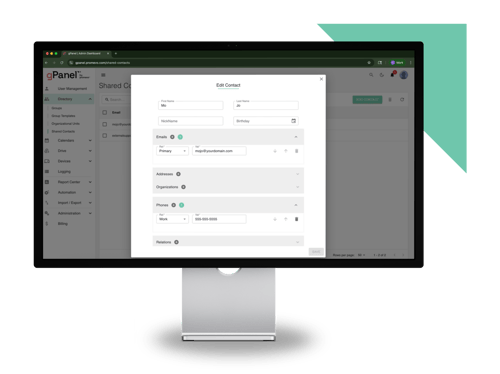
Unlock powerful automation, bulk actions, and reporting features to streamline and scale your admin workflows.
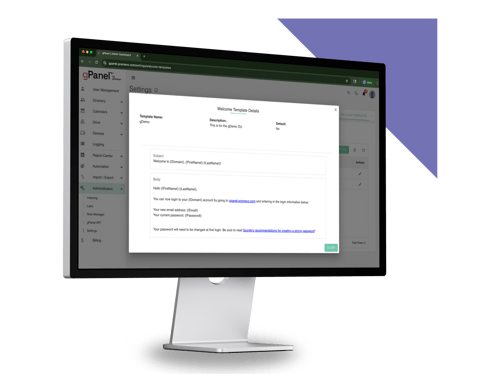
Take full control of your domain with advanced policies, APIs, and security tools built for large or complex environments.
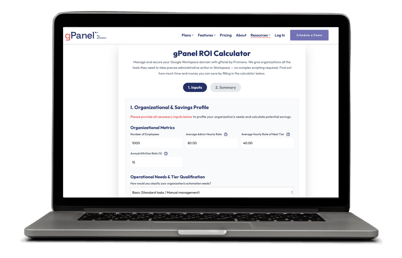

Just because your company's footprint is growing doesn't mean your cloud environment should become unmanageable.
 When Google Workspace expands, it stops being just a simple communication platform and becomes mission-critical business infrastructure. As directories grow, administrative processes naturally become more complex. Privileged access creeps upward, files are shared externally with little oversight, and IT teams find themselves bogged down by repetitive manual workflows.
To regain control and confidence, IT leaders frequently look beyond native configurations to third-party management consoles like Patronum and gPanel.
At first glance, these two platforms look incredibly similar because they tackle the exact same core challenges. Both center heavily on automated onboarding and offboarding, dynamic group assignments, centralized email signature templates, and Google Drive management.
However, while they share a lot of features, they are built on different scales of capability, support infrastructure, and target markets.
Rather than approaching the cloud from entirely different philosophies, the real practical differences between Patronum and gPanel come down to vendor ecosystem support, company scale focus, and the overall depth of their automated workflows.
Patronum and gPanel both automate Google Workspace administration, but they handle different scopes of enterprise weight.
Structured lifecycle policies for growing teams
Focuses on structured lifecycle policies, user profile management, and specialized address book sharing for organizations that want lightweight, out-of-the-box consistency.
Deep administration backed by a Google Diamond Partner
Developed by Promevo, gPanel acts as a deep administration, compliance auditing, and security command center backed by the extensive support infrastructure of a certified Google Diamond Partner.
Patronum vs. gPanel: Feature Overview
| Feature | Patronum | gPanel |
|---|---|---|
| Automated Onboarding & Offboarding | ✓ | ✓ |
| Email Signature Management | ✓ | ✓ |
| Google Drive Management | ✓ | ✓ |
| Google Contact Sharing | ✓ | ✓ |
| Automated File Unsharing & Compliance | ✓ | ✓ |
| Organizational Chart | ✓ | ✗ |
| Google Workspace Backup | Add-on | ✗ |
| AI-Powered Data Migration | ✓ | ✗ |
| Rules Engine | ✗ | Enterprise tier only |
| Chrome Device Management | ✗ | ✓ |
| Billing & License Management | ✓ | ✓ |
| API Access & HRIS / ERP Integration | ✗ | ✓ |
| 70+ Workspace Reports | ✗ | ✓ |
| Google Diamond Partner | ✗ | ✓ |
| Base Price | $8/user/yr | $15/user/yr |
As you can see, there are many similarities between Patronum and gPanel, but there are some key differences as well. Let's dig into them a bit more in depth.
Because Patronum and gPanel overlap so heavily on core administration tasks, it can be difficult to see what distinguishes them. They both step in where Google's native console leaves gaps, and they both offer automated onboarding, offboarding, signature control, and group provisioning.
However, while they share the same operational baseline, they diverge significantly in their scalability, automation depth, and the ecosystem of support backing them up.
The easiest way to break them down is to look at how they are built to support an IT team's daily workload:
Ultimately, both platforms are excellent options for mastering Google Workspace.
Patronum serves as a reliable, specialized tool for growing companies focused on user consistency and directory features.
gPanel acts as a complete, deeply automated governance and security command center designed to scale right alongside complex corporate infrastructure. And it's backed by a Diamond Partner support team that can help you optimize your entire Google ecosystem.
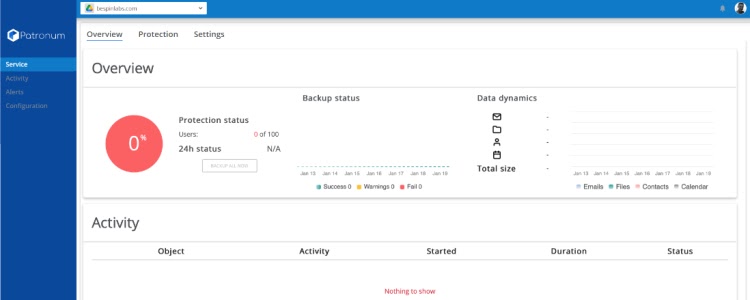
Patronum excels at lifecycle management, user profile layout consistency, and contact syncing workflows. For organizations struggling with baseline communication setups and directory management, this tool is a focused, highly accessible solution.
Companies typically turn to Patronum to manage:
Where Patronum meets its limits is when an IT department requires deep system visibility, specialized administrative delegation, or expansive compliance reporting. It lacks advanced analytics dashboards and doesn't feature native tools to optimize license costs without leaving your Workspace console.
However, it does feature a unique benefit: an optional, integrated cloud backup add-on, allowing smaller teams to check off their data replication and restoration needs inside a single software ecosystem.
"[Patronum] is a great product helping us to avoid using GAM and have an easy-to-use interface to manage contact sharing, signatures, email delegation, Google Drive, offboarding and other automation policies."
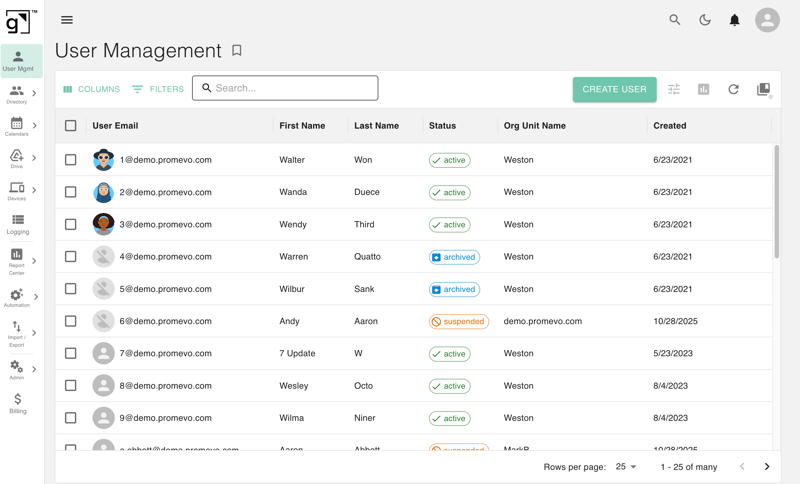
gPanel is a Google Workspace command center engineered specifically for IT teams and Google Workspace administrators managing scale, complexity, and compliance constraints.
It doesn't just sit on top of your environment like a standalone marketplace extension; it extends Google's native backend power to help your staff automate daily workflows, eliminate human error, and gain actionable domain visibility.
IT departments rely on gPanel to enforce deep security and operational control:
Because gPanel is developed by Promevo (a recognized Google Workspace Diamond Partner and Technology Select Partner), gPanel users gain a distinct operational advantage. You aren't just buying software; you get direct access to Promevo's specialized technical support team. These experts can troubleshoot and optimize not only gPanel itself but your entire underlying Google Workspace infrastructure, ensuring your environment scales smoothly alongside your business.
"It's not just about the tools, it's about the dialogue those tools enable. gPanel is helping us uncover what we need to work on, and Promevo has been a trusted collaborator every step of the way."
To understand how these platforms match up when executing daily work, let's look at their core configurations side-by-side:
Patronum vs. gPanel: Feature-by-Feature Breakdown
| Feature | Patronum | gPanel |
|---|---|---|
| Onboarding & Offboarding | Fully automated user lifecycle with policy-driven provisioning, email signatures, Drive sharing, Google Chat enrollment, and dynamic group assignment from day one | End-to-end lifecycle automation including provisioning, decommissioning, Drive ownership transfer, group removal, and license reassignment all in a single workflow |
| Google Drive Management | Admins can share, copy, back up, and manage file permissions across user Drives, with Patronum+ adding automated file unsharing and external access governance | Full-text Drive search, permission management, shared Drive controls, Drive Sweep for ownership transfer, and Drive Explorer for browsing user files across the domain |
| Email Signature Management | Dynamic, centrally managed signatures deployed automatically to all users with customizable templates, fonts, and branding updated instantly across the organization | Domain-wide signature deployment with role-based templates and compliance disclaimers, managed from a single dashboard without manual user-by-user intervention |
| Reporting & Audit Logging | Provides activity logging and compliance oversight, with deeper file-sharing insights available through the Patronum+ upgrade | 70+ schedulable reports spanning user activity, Drive sharing, email, groups, licenses, and domain security with extended historical retention at the Enterprise tier |
| Automation & Policy Engine | Policy-driven automation handles onboarding, offboarding, contact sharing, file governance, and signature updates without manual triggers | Admin policies and no-code Rules Engine triggers automated actions across the Workspace based on user-defined conditions, with full decommissioning workflows |
| API & Integrations | No API available; integrations are limited to a defined set of IDaaS providers including Okta, OneLogin, and Rippling | Full API access at the Enterprise tier enables custom integrations with HRIS, ERP, and CRM platforms connecting Workspace administration directly to your broader IT stack |
| Billing & License Management | No native billing or license management; organizations must handle seat counts and subscription changes entirely within the Google Admin Console | Built-in license and billing management lets admins purchase, reallocate, and monitor licenses without leaving the platform with usage insights to prevent overspend |
| Google Contact Sharing | Enterprise contact sharing with cross-team syncing, label-based sharing, and Chrome extension support | High-depth corporate directory management. Supports domain-wide contact label syncing and categorization. |
| Google Partnership | Independent ISV with Google Workspace Marketplace presence; not a certified Google Partner | Built by Promevo, a Google Workspace Diamond Partner and Technology Select Partner, with direct alignment to Google's ecosystem, roadmap, and support infrastructure |
| Pricing | Starts at $8/user/year with a 30-day free trial; backup and advanced file governance (Patronum+) are available as separate paid add-ons | Starts at $15/user/year across three transparent tiers Starter, Standard, and Enterprise with no modular add-on purchases required to unlock core functionality |
Looking at the feature breakdown, the choice comes down to organizational scope: Patronum tends to handle lightweight profile setups and contact directories, while gPanel combines advanced Workspace automation with the technical support of a certified Google Diamond Partner to scale with growing environments.
Many IT departments wonder why they should purchase an external platform when the standard Google Admin console is free. The reality is that as an enterprise scales, relying on native tools leads to serious operational bottlenecks.
Here are eight clear ways a dedicated console brings structure to your environment:
 Bulk Operations Without the Headache
The standard Admin Console makes you click through individual account screens or manually manage complex CSV files to execute domain changes. Advanced tooling lets you modify thousands of records, groups, or assets simultaneously, saving engineering time and preventing human error.
Native offboarding is a manual process spread across separate configuration windows. External platforms merge access revocation, file migrations, mobile hardware wipes, and license recycling into a single automated workflow that executes reliably every time.
Google's standard logs track baseline system events but lack the history and custom filtering needed for corporate auditing. Third-party software provides deep, schedulable reports with extended data retention to keep you completely audit-ready.
Tracking down underutilized or abandoned accounts to protect your IT budget is difficult inside standard setups. Bringing license management inside your core admin panel lets you spot waste and reallocate seats the moment a user departs.
Native Google roles lack precise filtering boundaries, often forcing companies to grant Super Admin rights to tiers of support staff just so they can handle password resets or group updates. Scoped delegation lets you assign precise, restricted access safely.
The Admin console provides no way to design or enforce uniform email signatures across different branches of a company. Third-party options handle this globally, injecting dynamic data from your directory while keeping corporate branding locked.
Standard file searching tells you a file was shared, but doesn't give you a global interface to scan your entire data asset pool for active leaks. Tying file scanning directly to your lifecycle management ensures external access risks are automatically cleaned up.
For enterprises managing multiple distinct sub-domains or corporate branches under one umbrella, native management is highly fragmented. Moving to an advanced console consolidates your universal policies and security parameters into a clean, unified view.
To clear up any remaining questions, let's look at the top nine dimensions IT directors analyze when selecting between these platforms.
No. Patronum does not feature a public API layer. It relies on built-in software workflows and predefined synchronization loops with specific identity management tools like Rippling or Okta to pass user data.
While Patronum focuses on user-to-user label syncing, gPanel approaches contact management by building a secure, centralized organizational directory.
Unlike standard Google Contacts (which are locked inside individual employee accounts), contacts created in gPanel are part of a permanent, admin-owned "System of Record." This ensures that vital external data like vendor details or contractor lists remain core company assets, completely independent of any single employee's active account status.
gPanel allows for powerful domain-wide synchronization and automation. By utilizing specific labels and custom tags, administrators can automatically push newly created contacts out to target business units (for example, automatically syncing a "Vendor" contact card directly to the entire procurement team's mobile devices and Gmail accounts). End users also gain access to a dedicated self-service portal to keep their data organized.
No. Cloud backup capabilities are unbundled from the baseline license fee and must be purchased as a separate, optional software add-on.
 How Does gPanel Handle License Reassignment During Offboarding?
Rather than forcing your team into a rigid, one-size-fits-all offboarding process, gPanel allows administrators to build their own custom, step-by-step decommissioning workflows. Within these tailored paths, you can easily make license tracking and reallocation an integrated part of the process.
When an admin-designed offboarding sequence is triggered, gPanel handles the heavy lifting you've specified, allowing you to safely strip the active Workspace license from the departing user, reclaim it into your active pool, and immediately prepare that seat for a new hire so your budget stays optimized.
Both platforms are remarkably fast to get up and running. To deploy gPanel, an administrator simply installs the application directly from the Google Workspace Marketplace and completes a few quick configuration steps in the setup wizard to connect the secure API layers.
The difference isn't the setup time, but the operational scope available to you once you are inside the dashboard.
Patronum automates group assignments based on user lifecycle policies and basic profile parameters during onboarding. gPanel manages group structures through expansive administrative layers, allowing for broad bulk modifications and strict security controls over group access.
Yes. Both platforms offer trial opportunities so you can evaluate their feature sets in your Google Workspace domain.
gPanel scales more effectively in medium-to-enterprise environments that manage high user volume, multiple distinct sub-domains, and strict regulatory auditing requirements. Patronum is typically favored by small-to-medium-sized companies where lightweight automation and end-user directory access are the primary priorities.
gPanel supports custom, enterprise-wide integrations with your broader HRIS, ERP, and internal financial platforms through its full Enterprise API layer.
Patronum's integrations are restricted, focusing mainly on standard identity and access management tools.
Choosing between Patronum and gPanel comes down to matching the right tool to your organization's size, your automation demands, and the level of technical support your staff requires.
 Patronum, developed by Bespin Labs, is an exceptional choice for small-to-medium-sized organizations. If your primary goals are to establish out-of-the-box profile consistency, deploy corporate email signatures, share contact address books, and secure an optional, integrated backup add-on, it provides great value.
gPanel by Promevo is the definitive choice for medium-to-enterprise organizations that require deep operational control, robust data governance, and expansive automation capabilities. Because it is built and backed by a certified Google Diamond Partner, you gain a dedicated technical support team capable of guiding you through both gPanel and your entire Google Workspace environment.
Instead of forcing one tool to cover every conceivable scenario, deploy the platform naturally engineered to support your roadmap. If reducing manual administrative work and tightening Drive security are the priorities on your roadmap this quarter, gPanel is built for exactly that.
Schedule your personalized demo of gPanel here.

 John Pettit : Jun 25, 2026, 5:00:00 AM
Discover the difference between CloudM and gPanel. Learn how to choose the right platform for enterprise Google Workspace governance and migration...

 Brandon Carter : Dec 18, 2023, 5:00:00 AM
Discover how gPanel enhances Google Workspace management with automation, reporting, and security features, streamlining user administration.

 Christine Page : Aug 24, 2023, 5:00:00 AM
Simplify Google Workspace administration with gPanel. Automate onboarding, enforce policies, manage users, and enhance collaboration with advanced...